Anker Soundcore Select Pro A 3126 Motherboard Replacement
ID: 212811
Description: Use this guide to replace the motherboard in an...
Steps:
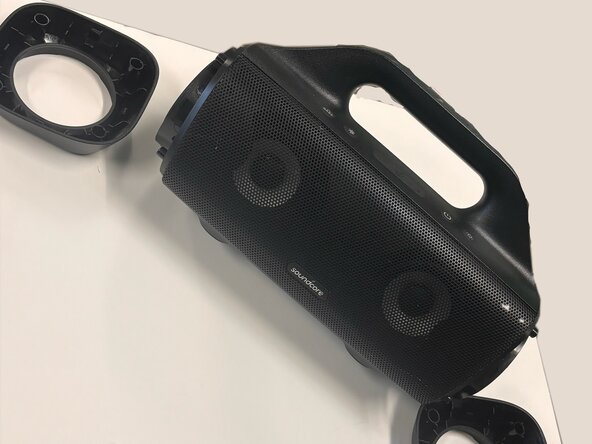
- Insert a spudger into the seam on each side speaker cover, then pry up to remove both covers.
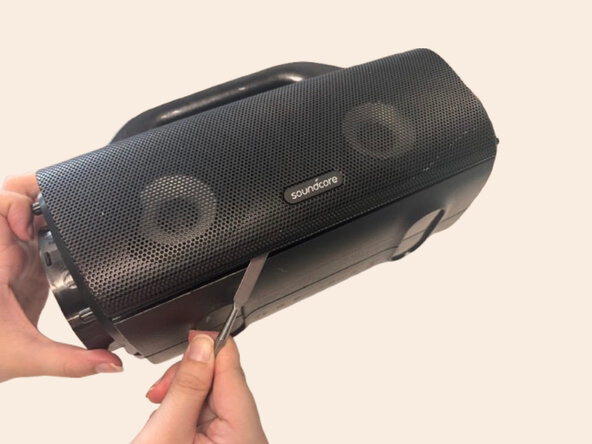
- Insert a spudger into the seam around the front metal mesh plate, then pry up to remove the plate from the speaker.
- Use a Phillips #1 screwdriver to remove the eight 12.7 mm screws securing the front cover.
- Use a Phillips #1 screwdriver to remove the eight 8.75 mm screws around the corners of the speakers.
- Flip the speaker over and use a spudger to remove both rubber support pads from the bottom of the speaker.
- Use a spudger to remove the rubber pad from the top handle and expose the three screws underneath.
- Use a Phillips #1 screwdriver to remove the three 6.75 mm screws.
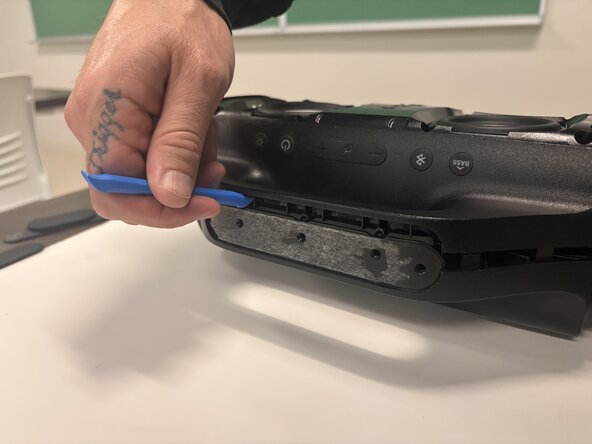
- Use a spudger to pry open the front half of the speaker.
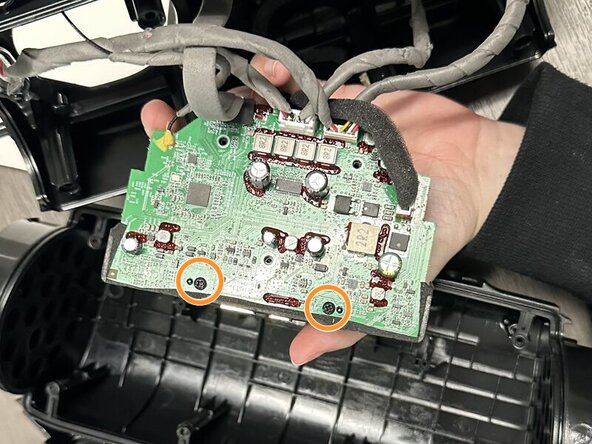
- Use a Phillips #1 screwdriver to remove the 12.5 mm screws securing the motherboard.
- Remove the 9.0 mm battery screws to separate the battery from the assembly.
- After the motherboard and battery are unscrewed, disconnect all plugs from the motherboard and remove it from the speaker.
- Install the replacement motherboard in the same position as the original.