Flydigi Direwolf 2 Battery Replacement
ID: 213426
Description: If the controller is having trouble turning on...
Steps:
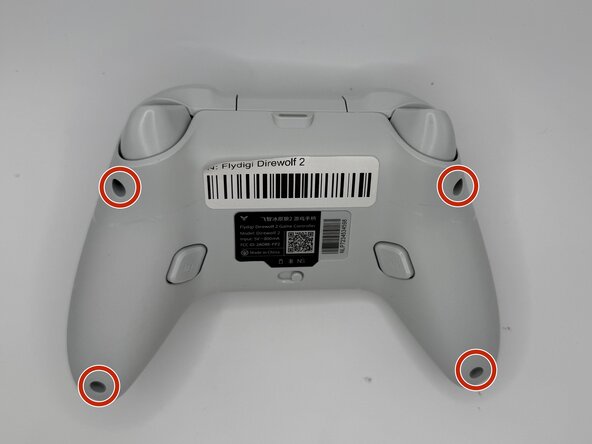
- Remove the four 10 mm-long Phillips 10mm screws securing the rear case to the front case.
- Insert an opening pick into the seam between the rear and front case.
- Slide the pick around the perimeter of the controller until the two halves of the controller release.
- Remove the rear case.
- Lift the battery connector directly out of its socket.
- Slide an opening pick underneath the battery to sever the adhesive securing it.
- Take care not to bend, twist, or puncture the battery during removal.
- Gently lift the battery out.