Kyocera DuraXV Extreme Plus Speaker Replacement
ID: 213600
Description: If you are experiencing low volume—even with...
Steps:
- Use a coin to unscrew the big silver screw on bottom middle back of the phone counterclockwise until you hear a click.
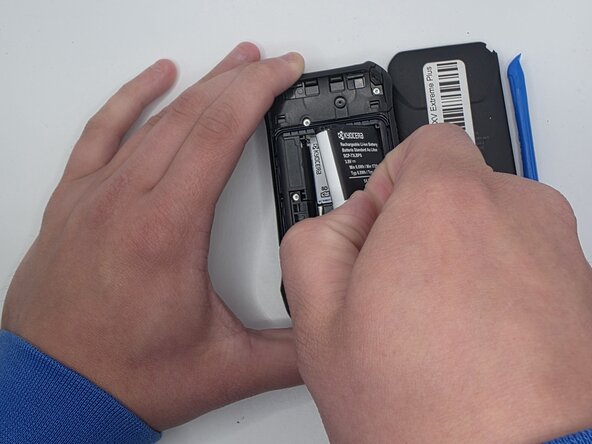
- Gently pull the backing off by inserting an iFixit opening tool into the notch under the screw.
- Grip the edge of the white pull tab on the battery.
- Gently pull the white pull tab to remove the battery.
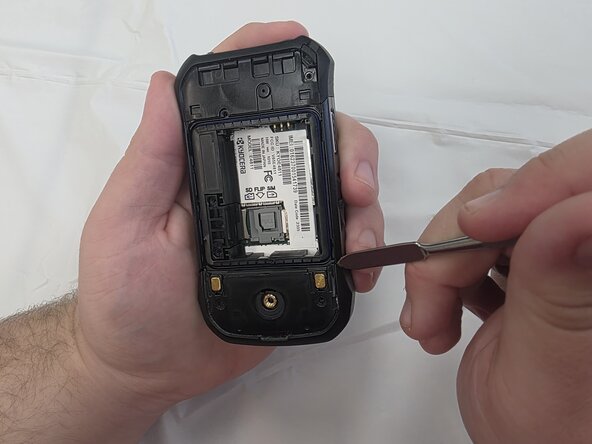
- Use a spudger to pry off the bottom cover
- Remove the plastic cover.
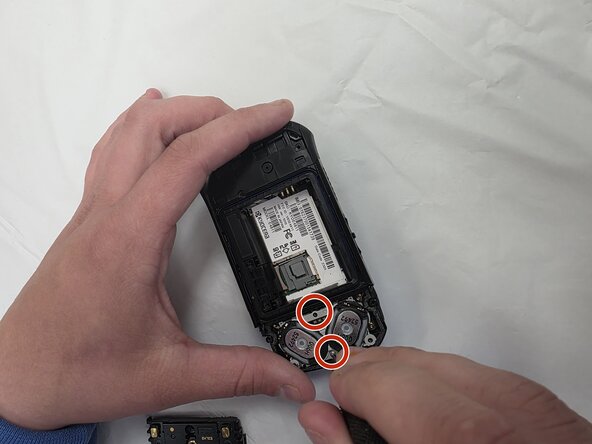
- Remove the three 4mm screws and the two 2.5mm screws with the Phillips #000 screwdriver.
- Use a metal spudger or plastic pry tool to remove secondary cover.
- Remove the two 2.5mm screws using a Phillips #000 screwdriver.
- Use an iFixit opening tool to remove the speakers.