Framework Laptop 13 Pro Input Cover Removal (SO-DIMM)
ID: 218758
Description:
Steps:
- Use your Framework Screwdriver to loosen the five captive T5 Torx screws securing the Input Cover.
- Open the laptop.
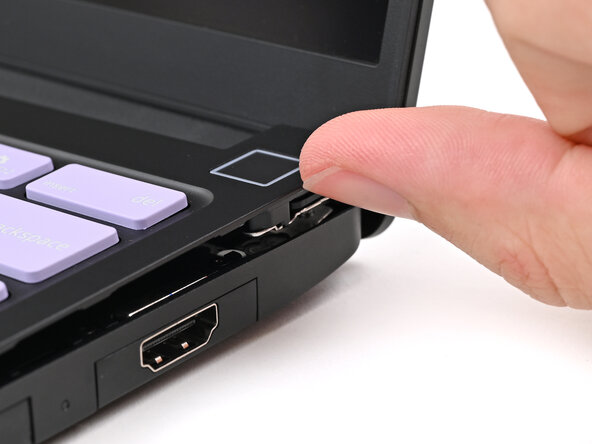
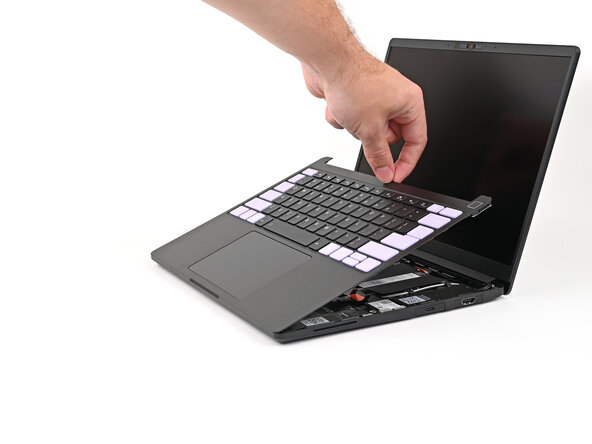
- Use your fingers to lift the Input Cover up and release it from its magnets.
- Don't fully remove the Input Cover yet, as it's still attached by the Touchpad Cable.
- If you're having trouble lifting the Input Cover, you can leverage the gap at the bottom right corner to get your fingers fully under it.
- Flip the top of the Input Cover so the keyboard is facing down.
- Rest the Input Cover over the Battery, making sure the Touchpad Cable isn't being strained.
- If the LEDs on the left and right sides of the Mainboard are flashing, then your laptop is still powered on. Make sure your laptop is completely powered off before continuing.
- Insert your finger into the Touchpad Cable press connector loop.
- Lift up to disconnect the Touchpad Cable from the Mainboard.
- Remove the Input Cover.