Lenovo ThinkPad P14s Gen 6 (AMD) Smart Card Reader Replacement/Addition
ID: 219027
Description: Add Smart Card Reader to the laptop
Steps:
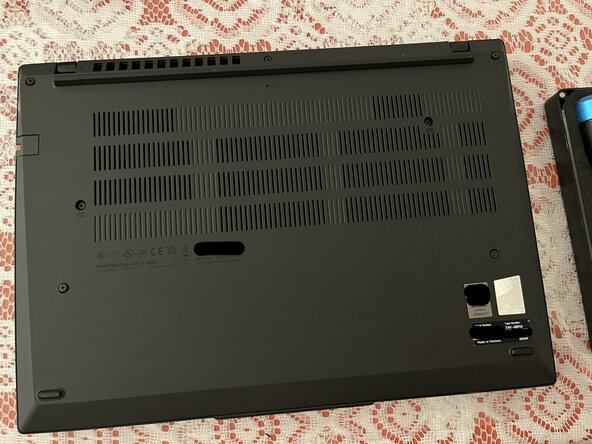
- First Step: Remove the back cover screws and open it up
- Find the original placeholder smart card reader and remove it
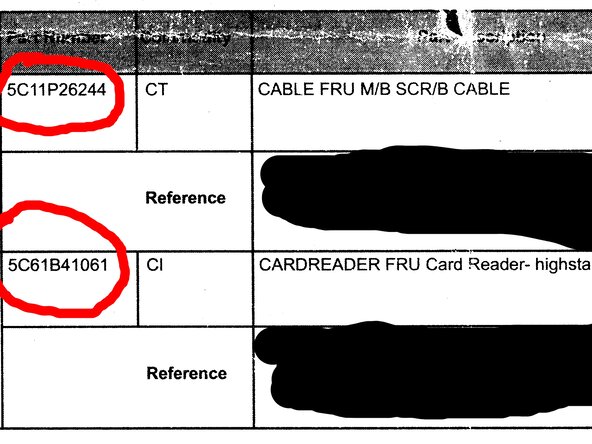
- Put the correct part (part # in third picture) into the slot, and connect the cable
- Cable and Card Reader were different parts, you need to order both (Card Reader itself and the cable)
- Assemble it back
- [ 2.163380] usb 3-5.2: new full-speed USB device number 6 using xhci_hcd [ 2.270970] usb 3-5.2: New USB device found, idVendor=2ce3, idProduct=9563, bcdDevice= 1.20 [ 2.270974] usb 3-5.2: New USB device strings: Mfr=1, Product=2, SerialNumber=0 [ 2.270975] usb 3-5.2: Product: EMV Smartcard Reader [ 2.270976] usb 3-5.2: Manufacturer: Generic