Altyk Le petit PC portable L14 Motherboard Replacement
ID: 219128
Description: Replacing the motherboard on an Altyk L14...
Steps:
- Turn your machine over so that the bottom is facing you.
- You have 10 screws facing you:
- 8 identical short Phillips screws (PH000)
- 2 identical long Phillips screws (PH000) in the corners near the clutch hinges
- Once the screws are removed, you can pry up with an opening pick as shown in the second photo. There is no risk of breaking any snap fits; there are none.
- Locate the battery connector.
- There are two ways to remove the battery:
- Either use plastic or ceramic tweezers to separate the connector from the motherboard by using the corners of the connector as indicated in red.
- Grasp the battery wires shown in blue and pull gently toward you to disconnect the battery.
- Identify and remove the 6 screws marked on the diagram
- Remove the tape securing the cables under the battery and the BIOS battery.
- Your battery is free and ready to be removed.
- Remove the 4 processor heatsink screws and lift it off as shown in the second photo
- Remove the tape covering the display connector.
- You can then open the connector and free the display cable. Feel free to move it slightly backward to clear your workspace.
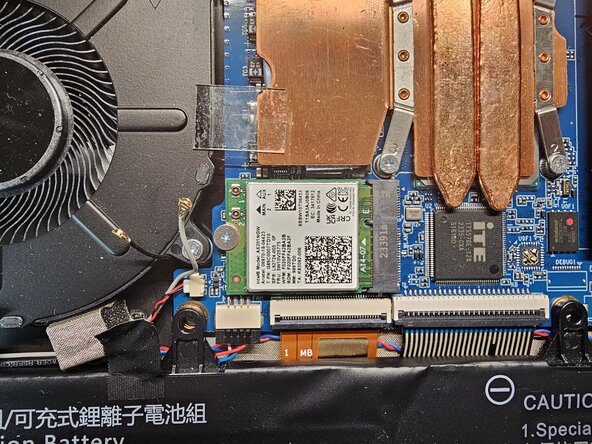
- Peel back the tape securing the Wi-Fi antennas
- Disconnect the Wi-Fi antennas
- Disconnect the 7 different connectors/cables attached to the motherboard
- Remove all the screws securing the motherboard.
- Once the 5 screws are removed, you can lift the motherboard from the left and remove it. Install the new one the same way and follow this guide in reverse order to reassemble your machine.