Lenovo V15 G2 IJL Fan and Heat Sink Replacement
ID: 219550
Description:
Steps:
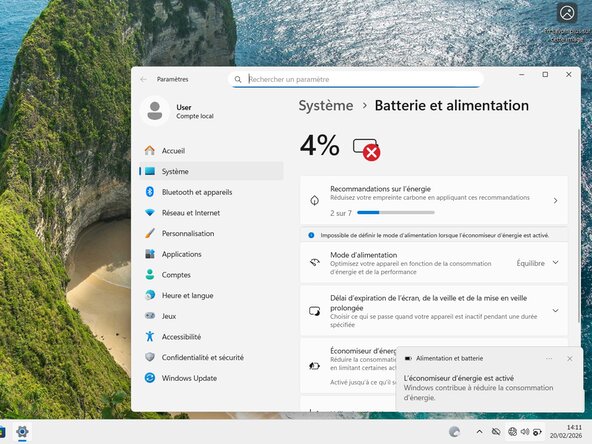
- Let the laptop’s battery level drop below 25% before beginning the repair, as a fully charged battery could pose a fire risk if damaged.
- Disconnect all cables and completely power off the laptop.
- Turn the laptop upside down so that the rubber feet are facing upward.
- Use a Phillips #00 screwdriver to remove the screws securing the back cover.
- Seven 6.7 mm-long screws.
- Four 3.8 mm-long screws.
- Insert an opening pick between the upper-right corner of the back cover and the frame.
- Slide the pick down along the back cover's edges to disengage the clips.
- You will feel the clips release as you slide the pick along the edges.
- When sliding the pick, remember to keep it angled upwards to release the clips.
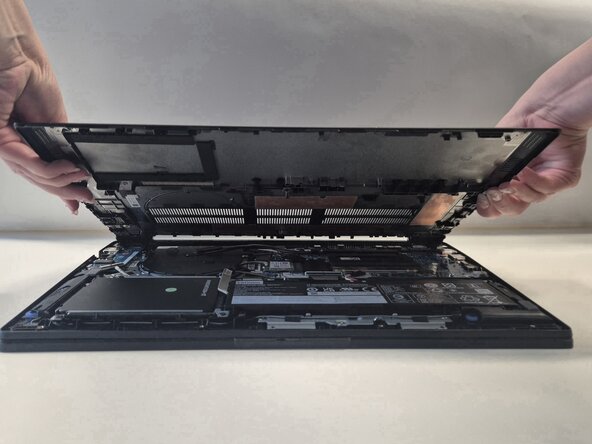
- Remove the back cover.
- During reassembly, snap the top corners of the back cover with the tabs on the plate. Press down firmly alongside the edges to fit back together the back cover and the hinge cover.
- Insert your fingernail into the small notch at the base of the connector.
- Unplug the battery connector cable with your fingers.
- Do not pull the wires, you may break the battery connector.
- Use a Phillips #00 screwdriver to remove the seven 3.80 mm screws.
- Lift the fan and heat sink assembly out of the laptop.