Disassembling 8BitDo Ultimate Wireless Case
ID: 219709
Description: Use this guide to open your 8BitDo Ultimate...
Steps:
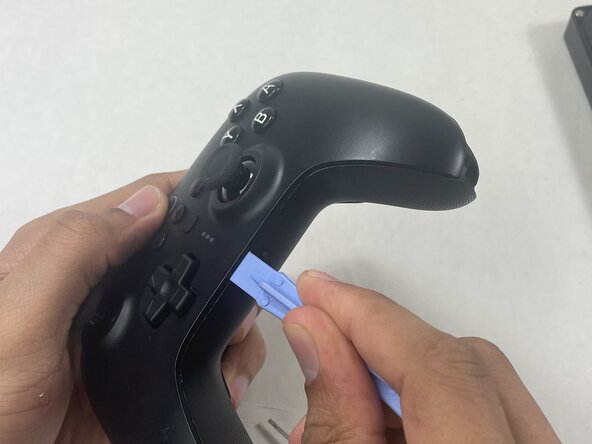
- Insert an opening pick into the seam between the left controller grip and main controller body.
- Pry the grip off.
- Repeat for the right grip.
- Remove the six 8 mm T6 Torx screws securing the rear case to the front case.
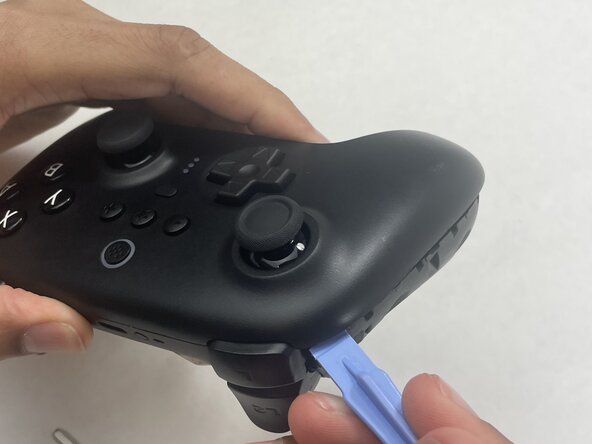
- Insert an opening tool into seam at the bottom of the device and carefully pry the front and back shells apart.
- Set the halves next to each other with care not to strain the connected ribbon cables.
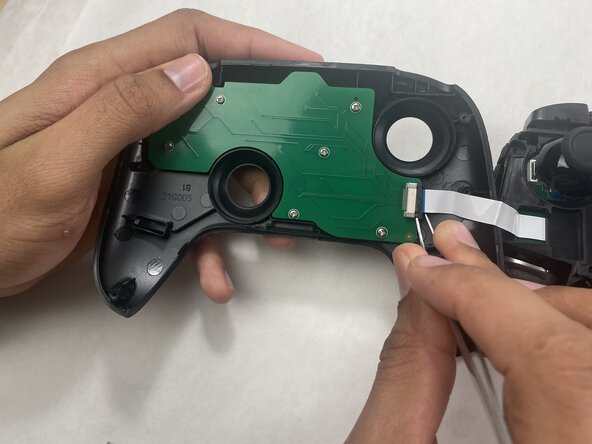
- The ribbon cable is secured with a locking tab connector.
- Use tweezers to unlock the locking tab on the ribbon cable connector, then gently disconnect the ribbon cable.