How to Fix a Clogged Autoblade on a Silhouette Portrait 3
ID: 219910
Description: If your Silhouette Portrait 3 is not cutting...
Steps:
- Unplug your Silhouette Studio 3.
- Ensure that the Silhouette Studio 3 is turned off before unplugging.
- Use your thumb in the open slit to carefully open the lid.
- Locate the Autoblade in your Silhouette Studio 3.
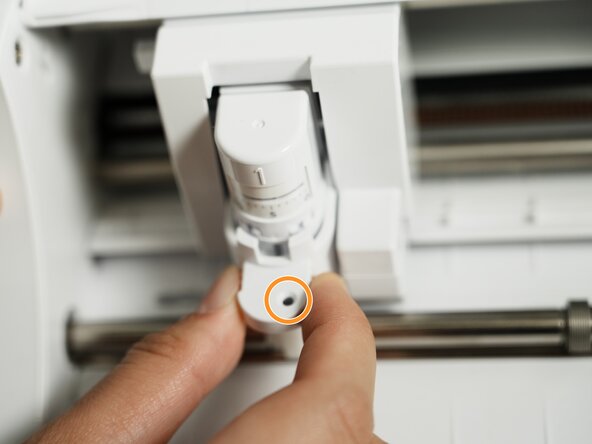
- Put your fingers to the side of the tab (where the grooves are) and pull the tab outwards until you hear a click sound.
- The circle near the base should turn from green to black to indicate that the Autoblade is unlocked.
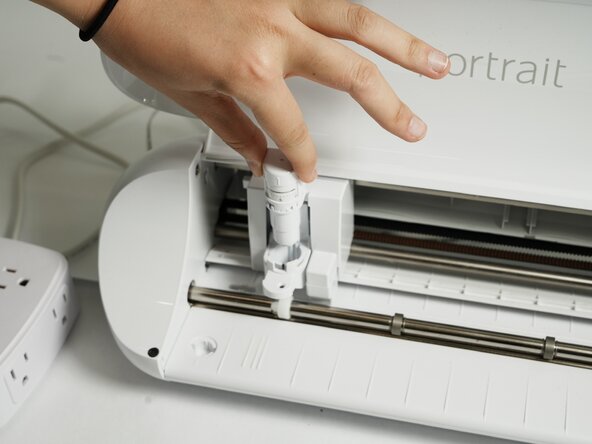
- Remove the Autoblade by pulling it vertically upward from the machine.
- When removing the Autoblade, be careful to not pull on it sideways. The Autoblade should slide up without any resistance.
- Ensure that you are looking at the bottom of your Autoblade.
- You should see the hole where the blade comes out of.
- Use the provided plastic adjustment tool or tweezers to grip one of the two the grooves on the bottom of the Autoblade.
- Turn counterclockwise to loosen the cap.
- Use your fingers to carefully unscrew the rest of the cap.
- Use a small toothbrush and a toothpick to clear out all of the debris and build up inside the Autoblade.
- The toothbrush can quickly remove most debris, and the toothpick can remove small bits that get stuck in the grooves.
- Do not use water or soap. This can damage the Autoblade.
- Use a baby toothbrush and a toothpick to clear out all the build up on and inside the unscrewed cap.
- The toothpick can be used to remove the inside of the cap to target the corners and grooves. The toothbrush can be used on the outside of the cap to quickly remove outside debris.
- Do not use water or soap. This can damage the Autoblade.
- Use your fingers to screw the cap tightly back onto the Autoblade clockwise.
- Slide the Autoblade back into the machine vertically.
- Ensure that the flat side of the Autoblade is facing the back for proper alignment.
- Lock the blade back into place by pushing the tab back in until you hear a click sound.
- The circle near the base should turn from black to green to indicate that the Autoblade is locked.
- Close the lid and you're all done!