Lenovo IdeaPad Flex-14IWL Lower Case Replacement
ID: 220959
Description: Use this guide to replace the lower case on a...
Steps:
- Shut down the laptop completely.
- Disconnect the charger and all external devices.
- Flip the laptop over so the lower case is facing upward.
- Make sure the device is completely powered off before continuing.
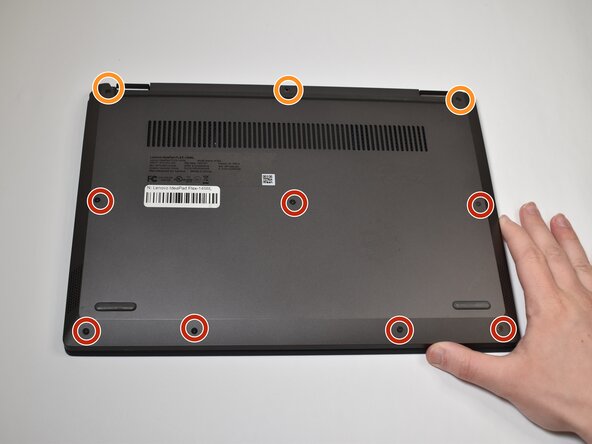
- Use a Phillips screwdriver to remove the following screws securing the lower case:
- Seven 2.5 mm-long
- Three 5.5 mm-long
- Insert an opening pick into the seam between the lower case and chassis.
- Slide and pry with the pick around the entire perimeter until the lower case fully releases.
- Remove the lower case.