Dell Inspiron 16 5625 Lower Case Replacement
ID: 220976
Description: Use this guide to replace the lower case on a...
Steps:
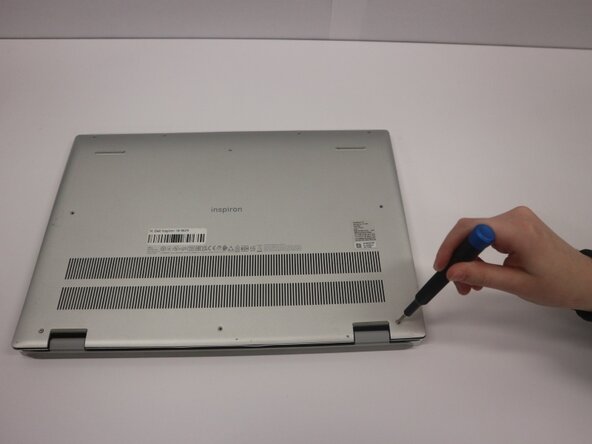
- Remove the seven (M2x4) Phillips #0 screws securing the lower case.
- Loosen the two (M2x7.5) captive Phillips #0 screws on the back cover by the hinges.
- Insert an opening pick into the seam between the lower case and chassis.
- Pry around the entire perimeter of the lower case until it fully releases.
- Remove the lower case.