Saitek ST90 PS22 Disassembly Guide
ID: 221141
Description: I create this guide, so that it can be useful...
Steps:
- Remove screws from the handle.
- two above near the buttons and trigger
- two below above the spring
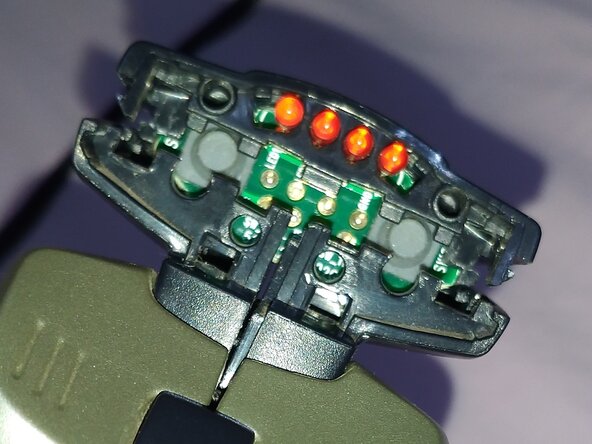
- Using a screwdriver or equivalent tool, remove the blue display.
- Its clips are on the side of the blue display.
- Press the sides inward.
- Your staples are above and below in center.
- it's easier to press the bottom ones first.
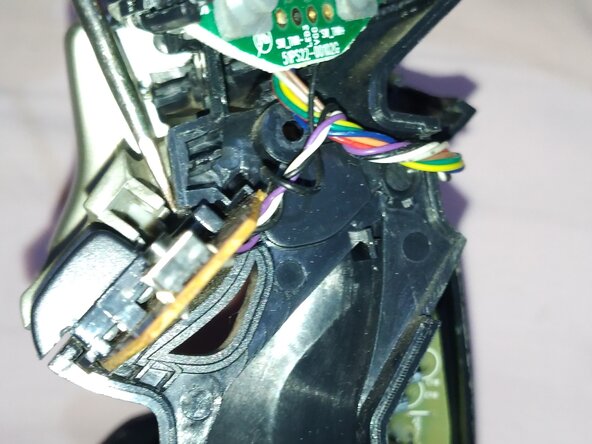
- Locate the plastic hidden clips of the top buttons.
- obs: I started by releasing the large buttons by their side latches, then I discovered that releasing the hidden latches in a UU-shape also allows you to release the button.
- With a thin screwdriver, press the latches.
- They are shaped like 2 UU upside down, where they are attached to a plastic cylinder.
- Always be careful, because of the wiring.
- .
- OBS: I managed to remove the top cover with two plastic spatulas, one on each side. But then I discovered that removing it would be unnecessary. Just split the casing and it will be possible to release the top cover.
- .
- .
- .