Iron is flashing, does not get warm, does not heat up
ID: 237791
Description: If the iron is flashing white but does not heat...
Steps:
- Unplug the device and let it cool down. Failure to do so poses a risk of injury or death!
- Use a pointed object to remove the rubber plug from the hole
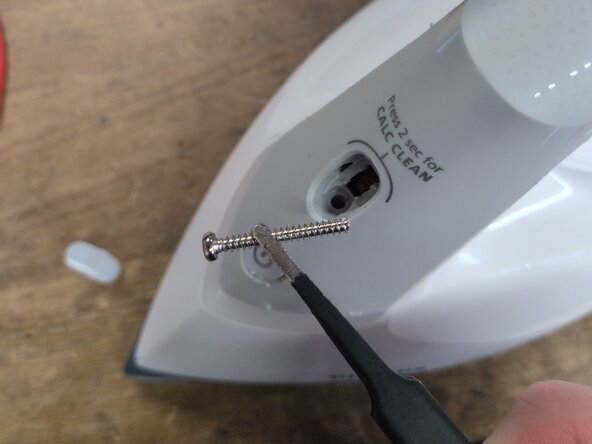
- Remove the PH2 screw (see image for length)
- Carefully remove the "Calc clean" button with a thin flathead screwdriver by prying it up from the side.
- Remove the PH2 screw under the button (see photo for length).
- Open the clips on the bottom of the iron
- Carefully pry up the rear cover
- Tilt the handle cover forward, release the marked tabs
- If only the electronics in the handle need to be repaired, these steps can be skipped.
- Remove the knob using a flathead screwdriver or spudger.
- Release the two PH2 screws (see image for length).
- Release the two PH2 screws (see image for length).
- The heating plate can now be removed.
- Open the handle according to the linked guide.
- Unplug the power cord before opening and measuring! Otherwise, there is a danger to life!
- Check the 470 nF film capacitor for capacitance using the multimeter. This can be done while it is still soldered in place. In a defective device, it will be well below 360 nF.
- Release the screw, release the circuit board from its clips, and replace the capacitor.
- The capacitor must be of the "X2" type and have a voltage rating of at least 275V.