Coby Kyros MID9042 Speakers Replacement
ID: 40582
Description: If your Coby Kyros MID9042 is not producing...
Steps:
- Remove the Anti-slip pads from all four corners of the back of the device.
- Use Phillips #0 Precision screwdriver to remove the four screws from the back cover (screws are about 1/8'').
- Potential for device damage. Be careful not to break the inner plastic tabs while pulling the back cover off.
- Gently use the iFixit opening tool to pry the back cover apart from the front.
- After you have opened the cover, use your hands to open the tablet like a book.
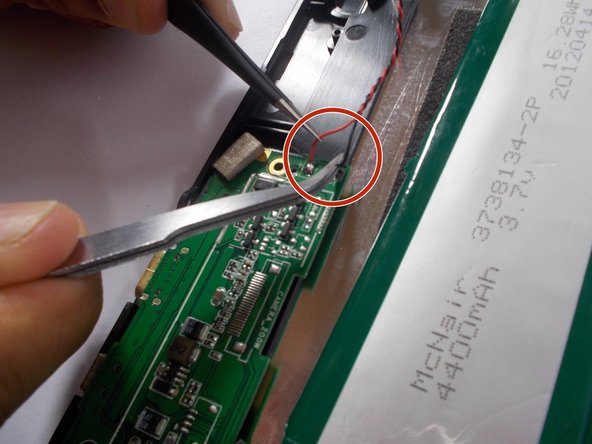
- Desolder the red and black speaker wires from the circuit board. How To Solder and Desolder Connections
- Gently remove the speakers from the tablet.
- When replacing the speaker, remember the red wire connects to positive and the black wire connects to negative.