Hamilton Beach Food Processor 70740 Motor/Cord Replacement
ID: 52347
Description: This procedure requires a moderate level of...
Steps:
- Hold the food processor upside down and remove the two screws indicated with a screwdriver. Once unscrewed, remove the two rubber suction pads.
- Use a spudger to remove the 4 rubber base pads located at the corners of the device.
- Unscrew all 4 screws that are located beneath the pads with a screwdriver and remove the plastic grey base.
- Remove the screws indicated with a screw driver.
- Remove the two screws behind the knob with a screwdriver.
- Use a regular nylon spudger to remove the plastic caps at these locations with moderate pressure.
- When working with electronics, it's important to choose a tool that's ESD-safe to avoid accidental damage to the device. The regular black nylon spudger or a plastic opening tool should be used whenever possible.
- Apply pressure at the edge of the plastic cap circles. Apply stress elsewhere may damage the device.
- Note that the plastic caps are glued
- Remove the 4 screws located under the plastic caps with a screw driver.
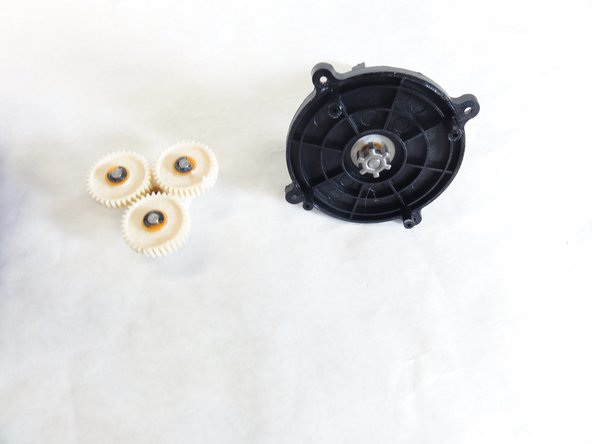
- Lift and remove the plastic gears at the center of the device.
- Remove any grease residue underneath the plastic gears.
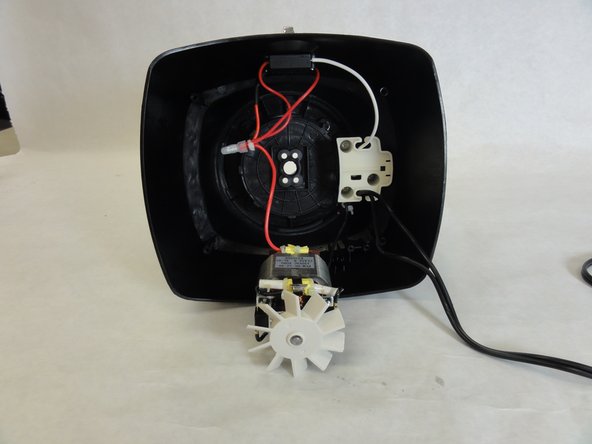
- Remove the remaining screws to unhinge the motor located at the center of the device using a screw driver.