Leica Z2X Lens Cover Replacement
ID: 5303
Description:
Steps:
- Carefully unscrew the four Phillips #0 screws on the bottom of the camera.
- There is a screw located inside of the tripod hole (large circle.) Make sure the screw is removed from there too!
- Open the back door on the camera by pushing down on the door latch.
- Apply pressure to the bottom plate and it will pop off.
- From here, you can replace the bottom plate, or continue on to further steps.
- Remove the five screws marked in the picture.
- Apply pressure until the piece you unscrewed in the last step pops off.
- Unscrew the four screws on the back of this piece to the lower-left corner of the lens.
- Removing the lens motor cover, you should be left with these four pieces.
- Located underneath these four pieces is the lens motor.
- Now that you've removed the bottom plate, you can pull apart the front and back covers.
- Start with the front cover and, by applying pressure (perhaps a lot of pressure), snap off the front cover.
- Next, the back cover.
- Apply pressure to remove the back plate.
- Potential for device damage: Be careful of the buttons on the top of the camera falling off, they are small parts and CAN get lost easily.
- The best way to remove the back is to stick your thumbs on either side of the battery socket and separate from there.
- You should now have removed the front and back plates.
- Remove the four screws holding on the front panel surrounding the lens.
- Remove the three gears under the panel you removed in the last step and the lens motor should be able to be removed.
- Now that the lens motor has been removed, you can apply pressure to the back of the lens and push it out.
- From here, locate the three screws near the front of the lens.
- Unscrew these three screws.
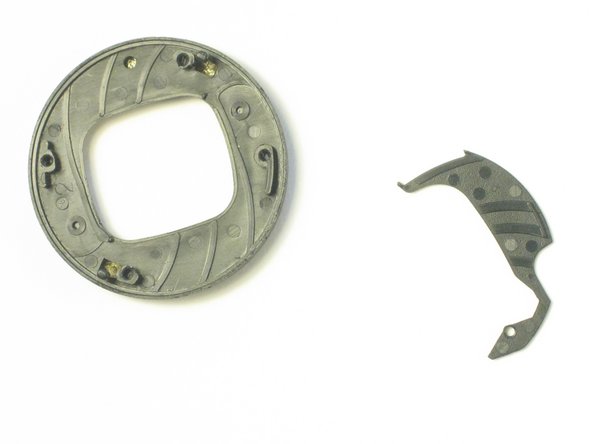
- From here, you can pull out the small disk containing the lens cover.
- Unscrew the four screws on the back and pull the two pieces of the disk apart.
- From here, you can replace any broken parts in the lens cover.