Dell Inspiron 600m Keyboard Replacement
ID: 5325
Description: In this guide the user will remove the old...
Steps:
- Flip laptop upside down and locate the battery as shown in the images.
- Push in the tab on the battery and lift up. The battery should detach very easily.
- Orient laptop with the keyboard facing upward and the lid open.
- Caution the face plate is a fragile piece of plastic. Handle carefully.
- Start in the upper right corner and work to the left when removing the face plate (includes power button and volume controls).
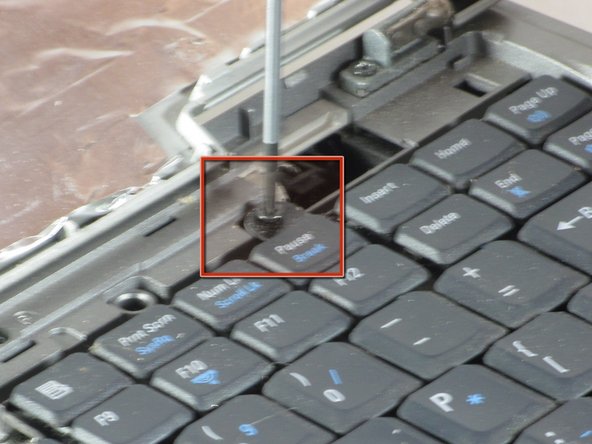
- Use a flathead screwdriver (or anything flat and strong) to wedge underneath the face plate.
- Carefully lift the screwdriver to remove the face plate.
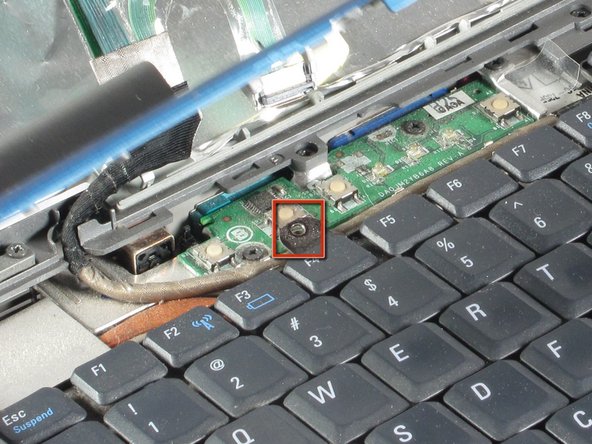
- Use a the Phillips screwdriver to remove the two screws.
- Gently slide keyboard toward screen.
- Lift keyboard carefully. It is attached by a ribbon cable.
- Pull upward on blue tab to disconnect keyboard.