Canon Vixia HF R600 Speaker Replacement
ID: 61697
Description: If your camera's audio is low quality during...
Steps:
- Pull up the Velcro strap starting from the front of the camera and working your way towards the back.
- If you are adjusting the hand-strap, tighten or loosen the Velcro strap accordingly and reattach it.
- To remove the hand-strap, pull the Velcro strip through the leather pad.
- Remove the strap from the camera body.
- Press in the battery release tab located on the bottom of the camera.
- Slide the battery out from the body.
- Start by removing the two 6mm Phillips #00 screws located on the right side of the camera.
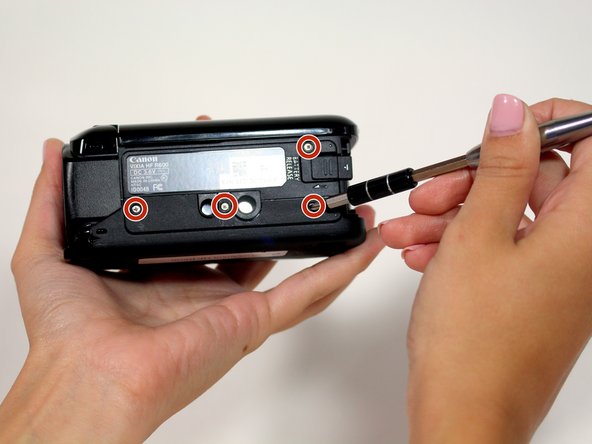
- Remove four more 6mm Phillips #00 screws found on the bottom of the camera.
- Open the display screen and remove the three 5mm Phillips #00 screws.
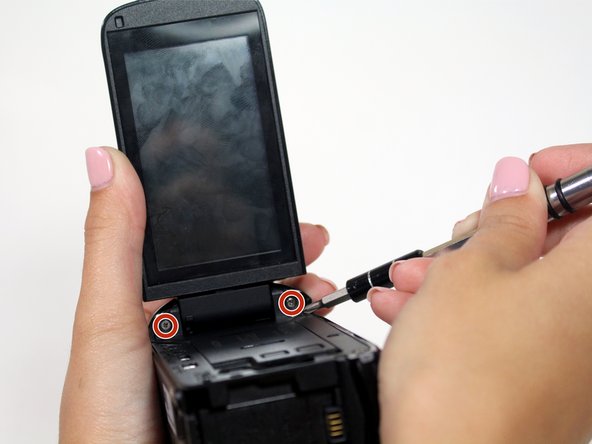
- Look to the swivel point for the screen to find the last two 5mm Phillips #00 screws that must be removed.
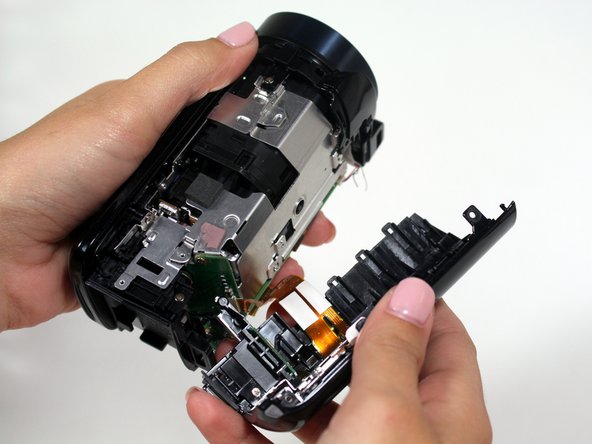
- Gently pull the plastic casing away from the camera.
- Remove one 4mm Phillips JIS#00 screw on the right side of the camera.
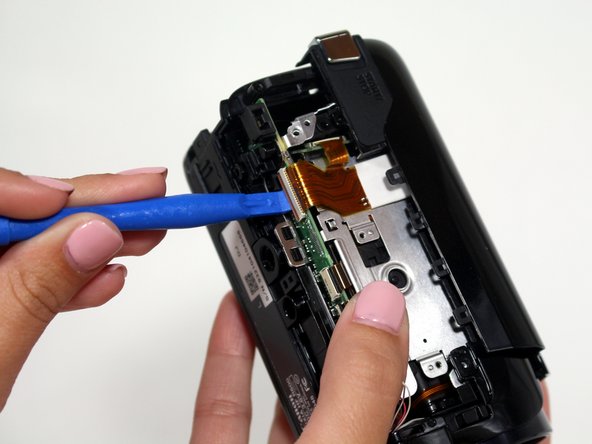
- Use the plastic opening tool to undo the bronze ribbon connector.
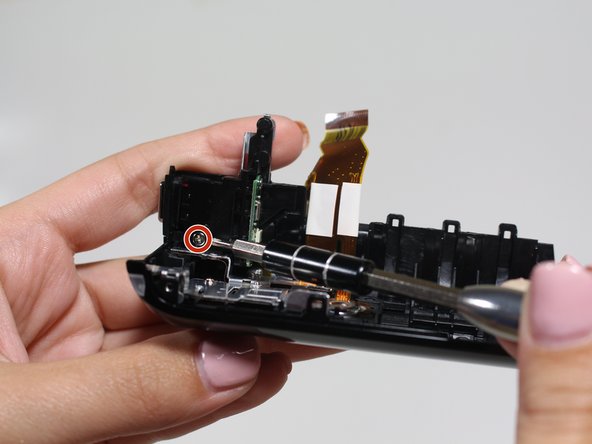
- Remove one 4mm Phillips JIS#00 screw located on the top of the camera near the battery connection.
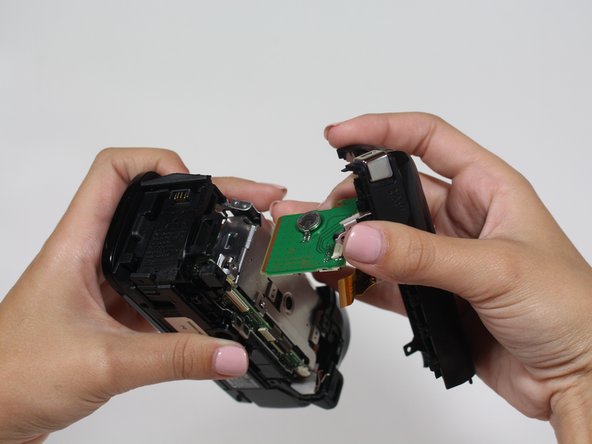
- Pull the plastic casing away from the camera. The speaker and power button are housed in this casing.
- Remove four 5mm Phillips PH#00 screws holding the speaker bracket in place.
- Remove one more 5mm screw below the power button.
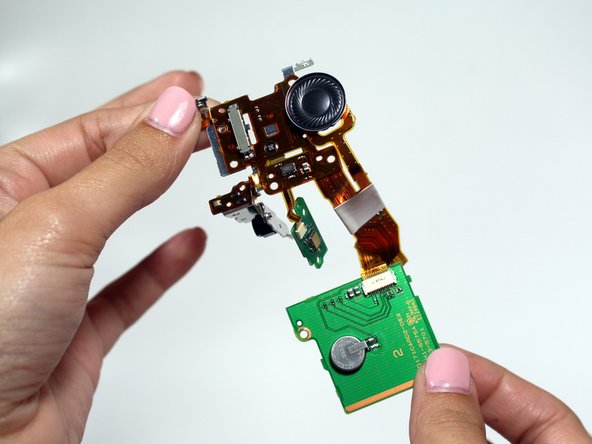
- Carefully pull the speaker out of the casing.