Toshiba Satellite A215-S4757 RAM Replacement
ID: 72555
Description:
Steps:
- Locate the RAM storage space on the back of your Toshiba Satellite.
- Unscrew the two screws holding the plate to the laptop.
- Gently lift the lid, and remove it form the Satellite.
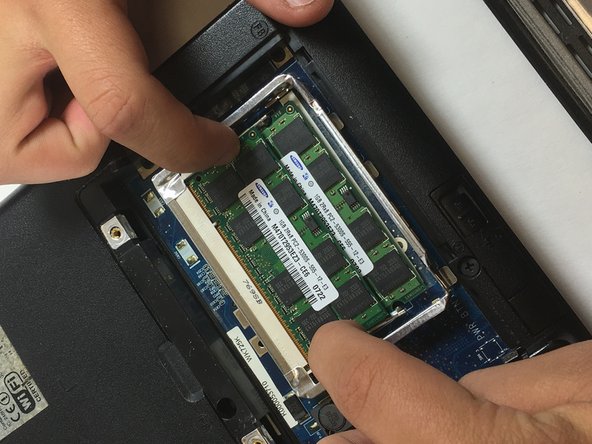
- Identify the clips on each side of both RAM components that are holding them in place.
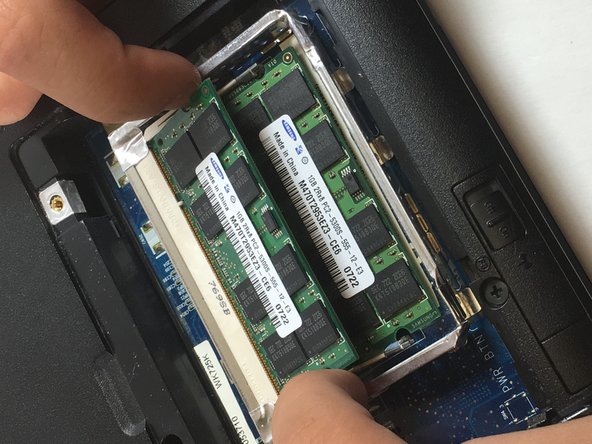
- To remove each component, simply push each clip gently outward until the component pops upward.
- Gently pull and remove the RAM component, and repeat for the second component laying underneath the first.
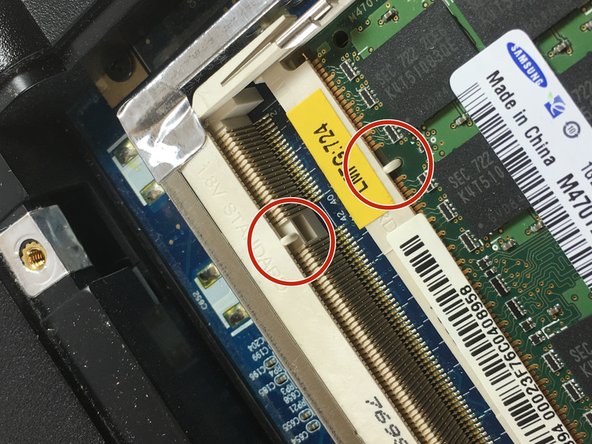
- Be sure to match each RAM components female insert, with the laptops male insert during reassembly. If you do not reinstall the components correctly your motherboard may fry.