Insignia NS-BCDCAS1 Outer Panels Replacement
ID: 73009
Description:
Steps:
- Turn the boombox around to see the back, and then flip it upside down.
- Insert a 2.5mm flathead driver into the two holes next to the battery compartment.
- Turn the driver counterclockwise several times to loosen and pull out the 17mm screw.
- Peel off the two black square foams in front of the battery compartment to reveal a screw under each one.
- Remove the two 8mm screws using a 2.5mm flathead driver.
- The front grey panel will loosen up once the final screw is removed.
- Turn the boombox on its back.
- Release the front panel by pushing down on the latches holding the panels together.
- There are four silver latches on the top side of the panel and one on the bottom.
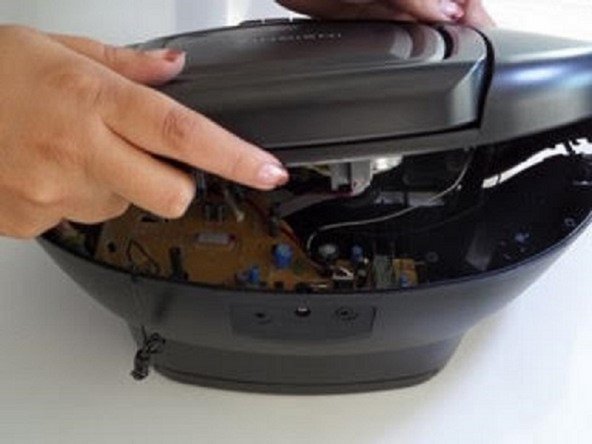
- Do not force the panel comletely off, there are cables attached inside.
- Turn the boombox around to view the back and lift the handle up.
- Using the same driver with 2.5mm flathead, remove the two 14mm screws under the handle.
- Gently lift the black top but do not pull completely away.