Samsung Powerbot R9250 Wheel Replacement
ID: 78635
Description: If your Samsung Powerbot R9250 is struggling to...
Steps:
- Flip the Powerbot onto its side so that the wheel you plan to remove is facing upward. This will give you clear access to the wheel assembly and the surrounding plastic housing.
- Remove the round white cap located on the outside of the wheel. This cap protects the internal screw and must be removed before accessing the wheel mount.
- Use a spudger or prying tool to carefully lift and remove the white plastic casing that wraps around the back section of the vacuum. Work slowly around the edges to avoid cracking the plastic.
- Continue prying until the entire white casing separates from the vacuum body. Set the casing aside in a safe place.
- On the wheel you are replacing, locate the small square opening on the black protective layer surrounding the wheel. Inside this opening is the wheel’s mounting screw. Use the appropriate driver to remove this screw completely. Keep the screw — you will need it to install the new wheel.
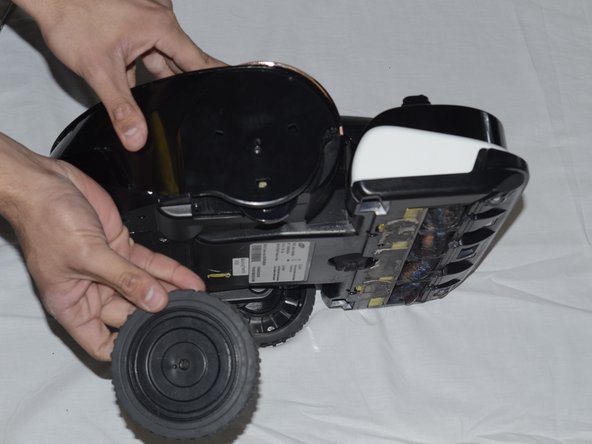
- Use a spudger or prying tool to gently lift the black protective layer away from the wheel. Once the layer is loose, pull the wheel straight out of its housing. Your wheel is now removed and ready to be replaced.