Samsung Galaxy Tab S2 9.7 Verizon Tablet Battery Replacement
ID: 82115
Description: Is your tablet dying quickly or not charging at...
Steps:
- Turn off the tablet before disassembly.
- Heat up an iOpener for 30 seconds and place on all four seams of the screen. A heat gun can be used as well.
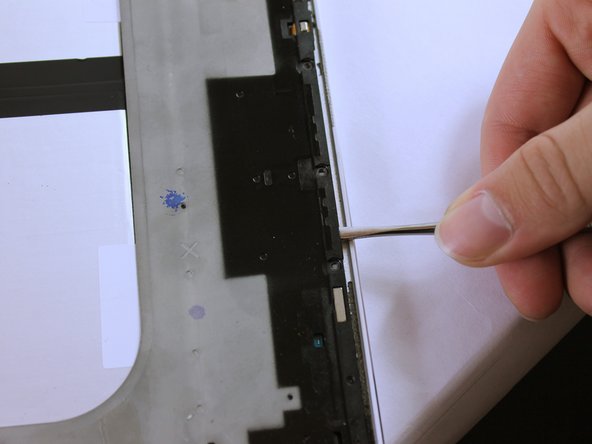
- The glue is now melted, so using the metal spudger shown, pry open all sides of the tablet.
- When prying open near the home and touch screen buttons, use a suction cup.
- Do not stick the metal spudger past these buttons as this may damage your device.
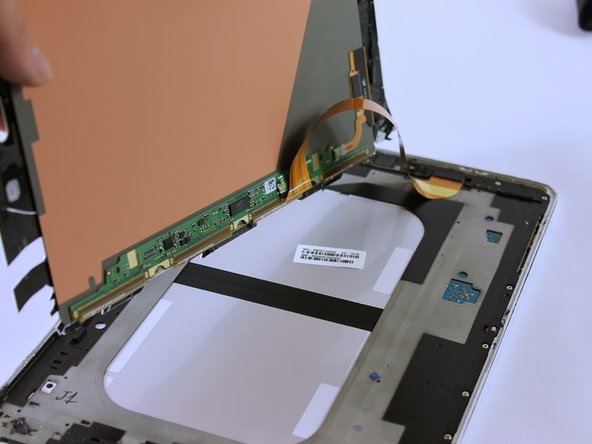
- Carefully lift up the screen.
- There is a ribbon cable attached. Lifting the screen too quickly can damage the cable.
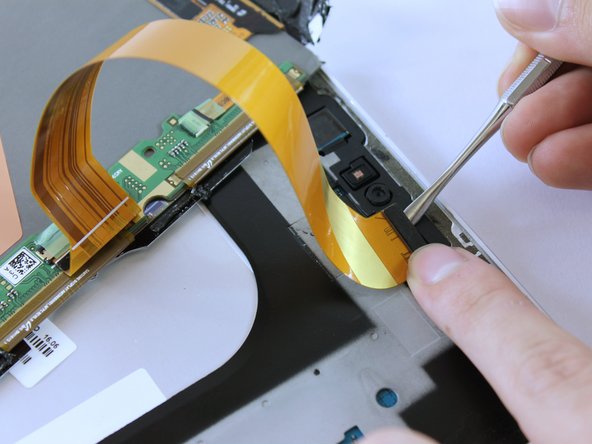
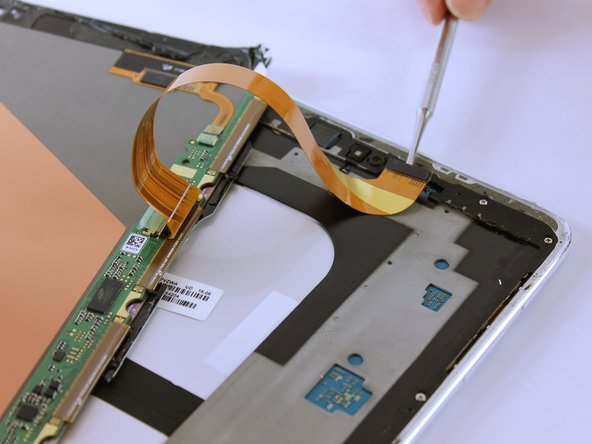
- Remove the ribbon cable using the Metal Spudger.
- The ribbon may be taped underneath to the grey frame. Gently lift the ribbon to untape it.
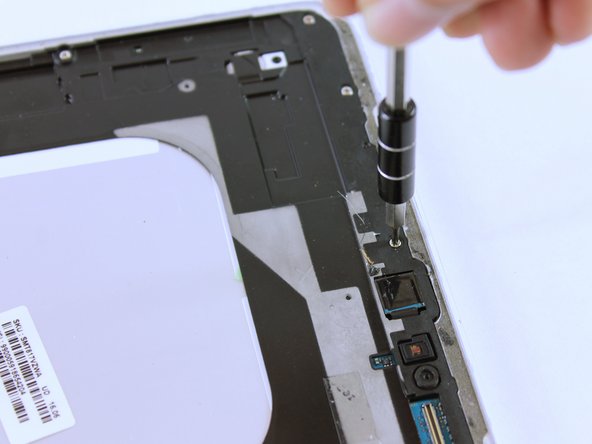
- Remove all seventeen 3 mm screws using a PH000 Phillips screwdriver.
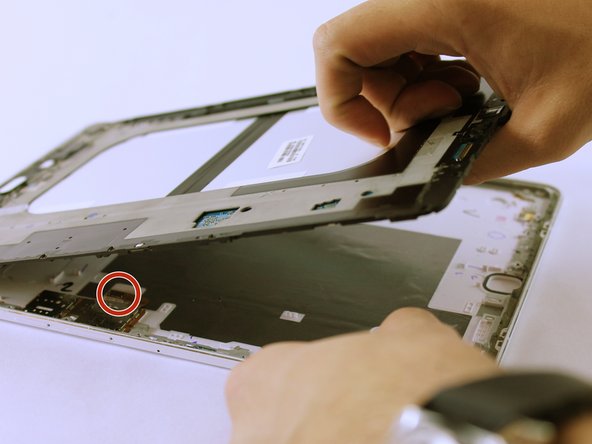
- Lift the black frame using the two Metal Spudgers shown.
- On the third picture, there is a Sim Card component that is connected to the frame and back cover. As you lift up the frame, it'll detach. This is normal.
- Once lifted, flip the grey frame over.
- This component connects to the sim card.
- Remember to click this component back into place when reassembling the tablet.
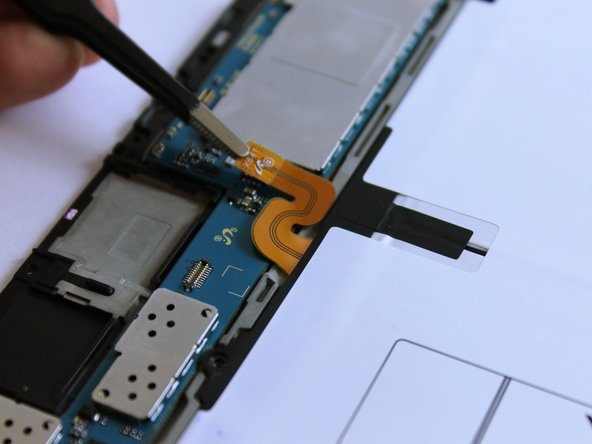
- Unclip the orange ribbon cable located above the battery using the Blunt ESD Tweezer.
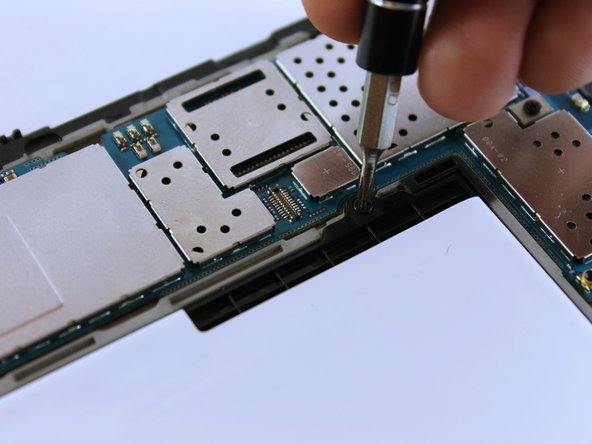
- Remove the four black 3mm screws using a PH000 Phillips screwdriver.
- Hold the frame and pop the battery off from the other side.