Quantum View 10.1 Motherboard Replacement
ID: 87472
Description: How to access and replace the motherboard. Note...
Steps:
- Start by turning the tablet over with the screen down. Carefully use a plastic opening tool to pry the cover off. Start from the corner opposite the hibernate button.
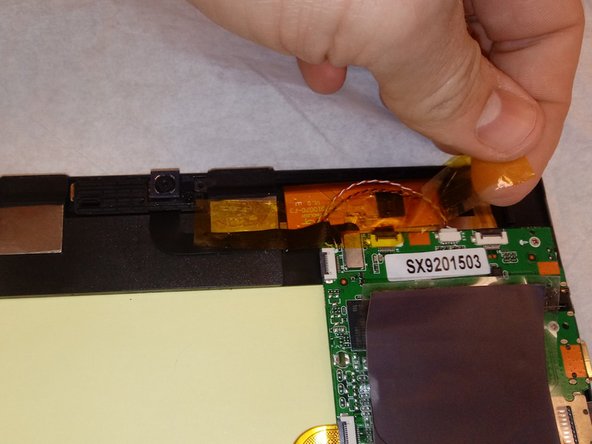
- Pick up the magnets from the bottom edge of the tablet next to the keyboard connection and put them in a place that they will not get lost. Then carefully remove all 4 strips of electrical tape.
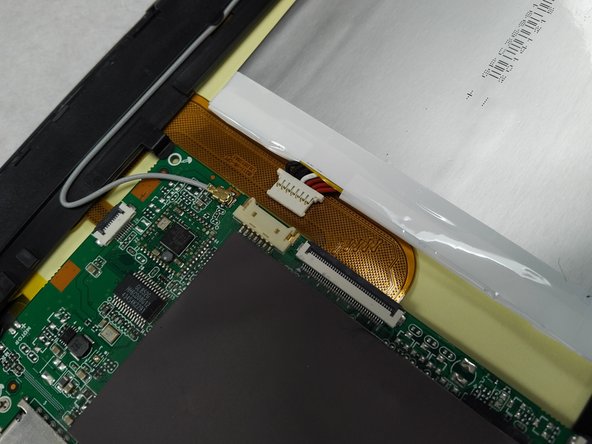
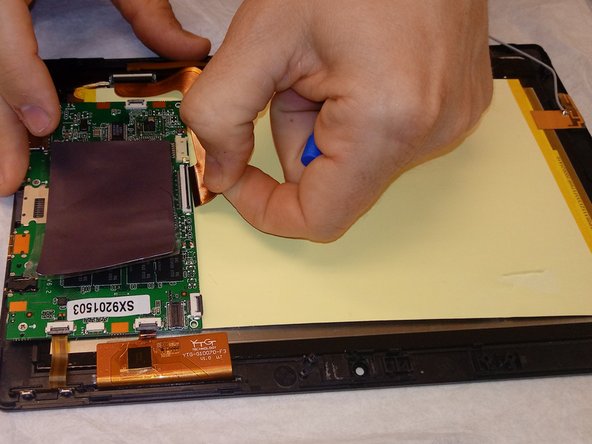
- Using a small plastic opening tool; genteelly pull the connection off of the motherboard.
- Remove silver protective sticker and set to the side.
- Ensure all ribbon cables and other connectors are disconnected from mother board.
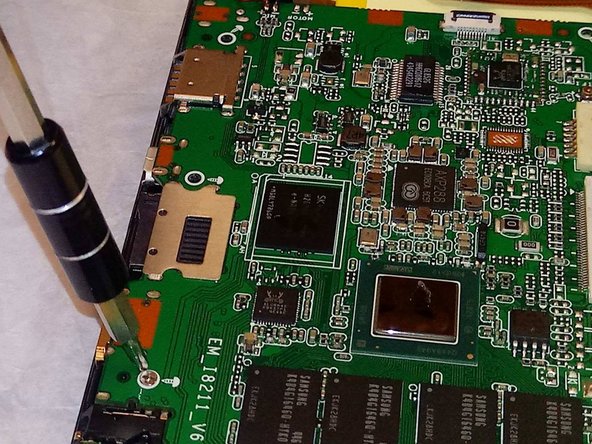
- There are 4 small screws connecting the motherboard to the frame of the device. Take a PH00 bit screw driver to remove these screws.
- Gently and carefully lift motherboard straight up from frame.