Dell Inspiron 17" 7786 2-in-1 Base Cover Replacement
ID: 155026
Description: The base cover of the Dell Inspiron 17" 7786...
Steps:
- Remove the eight M2 5mm screws that secure the base cover using a Phillips #0 screwdriver.
- Loosen the three captive screws that secure the base closer to the hinges.
- Do not attempt to remove the three captive screws! You need only to loosen them. They're supposed to stay on the base cover.
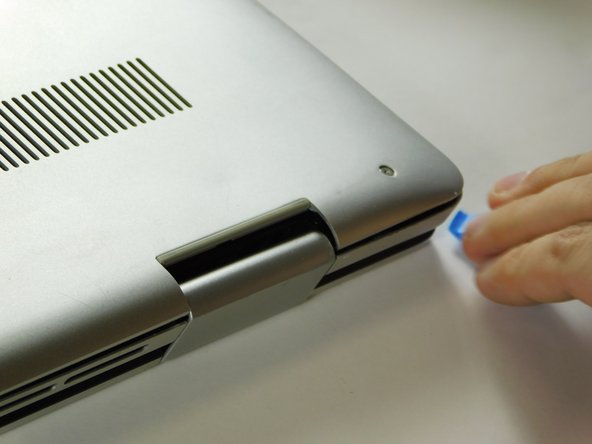
- Carefully pry the base cover using an iFixit opening tool in the crevice near the hinges. Guide the pick along the edges and slightly lift upwards as you go along.
- Do not start from the speaker end of the edges when opening, or you may cause further damage to your device!
- Carefully remove the base cover from the laptop.