Gateway GWTC116-2BL Daughterboard Replacement
ID: 172173
Description: If your Gateway GWTC116-2BL laptop is...
Steps:
- Ground yourself before disassembling and handling the computer.
- Remove the ten 3.0 mm Phillips #00 screws from the back panel of the laptop.
- Use the spudger to pry the back panel away from the body of the laptop.
- Remove the five 3.0 mm Phillips #00 screws.
- Using your fingers, flick open the battery connector bracket.
- Remove the connector from bracket.
- Pull up the battery to remove from the base.
- Peel off the yellow piece of tape that is placed over the daughterboard.
- Remove the three 3.0 mm Phillips #00 screws.
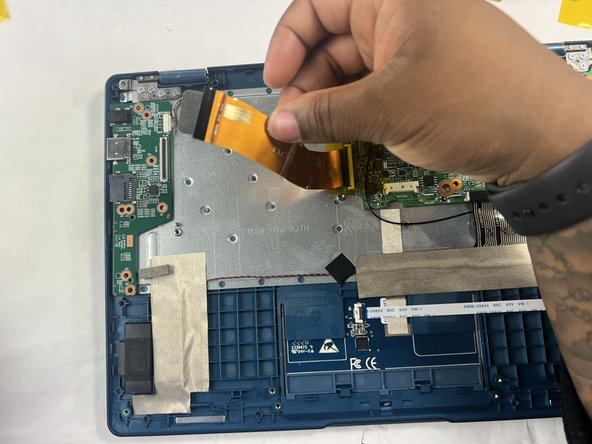
- Flick open the bracket that connects the motherboard and daughterboard.
- Remove the connector strip.
- Remove the daughterboard from the base of the computer.