Oral-B Vitality Power Button Replacement
ID: 100625
Description: Electric toothbrushes are powered on by a small...
Steps:
- Using the pliers, rotate the head base 90 degrees counterclockwise and remove core from the handle.
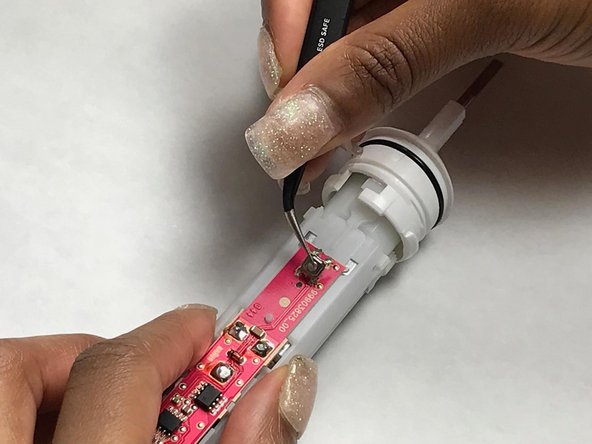
- Locate the 4 terminals connecting the power button to the circuit board.
- Desolder the 4 terminals and remove the old button.
- Remove as much of the old solder as possible.
- Attach the new button by soldering the 4 terminals with new solder.