Sony Vaio Fit SVF15N26CXB RAM Replacement
ID: 105090
Description: The RAM is a small memory chip located within...
Steps:
- Remove the following ten screws from the bottom case of the laptop:
- Two 6.5mm Phillips #00 Phillips screws.
- Four 8.95mm Phillips #00 screws.
- Four 6.25mm Phillips #00 screws.
- The screws may be hidden underneath a rubber foot that can be removed with a spudger.
- Use a plastic opening tool to separate the bottom cover from the laptop.
- Lift the lower cover and pull away from the laptop.
- Remove the eight Phillips #00 screws from the battery:
- Six 4.65mm screws.
- Two 4.65mm screws.
- Lift the battery up and pull it out of the laptop.
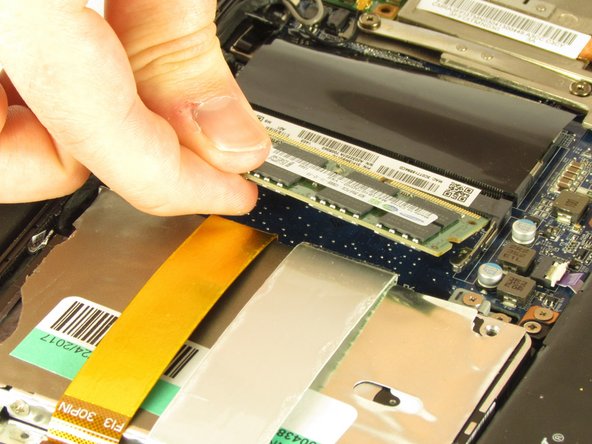
- Gently push the silver heads outwards on either side of the RAM chip to release it from the slot.
- Pull the RAM chip gently out of the slot.