RedOctane X-Plorer Strum Bar Sensor Board Replacement
ID: 108310
Description: The strum bar sensor board will often wear and...
Steps:
- Remove the strap by pulling it off of the mounts located on the body and neck.
- Remove the nine 12mm Phillips #1 screws around the perimeter of the case with a screwdriver.
- Remove the two 15mm Phillips #1 screws connecting the body panel to the neck panel with a screwdriver.
- These screws can also be Torx on some models.
- Pull off the rear case.
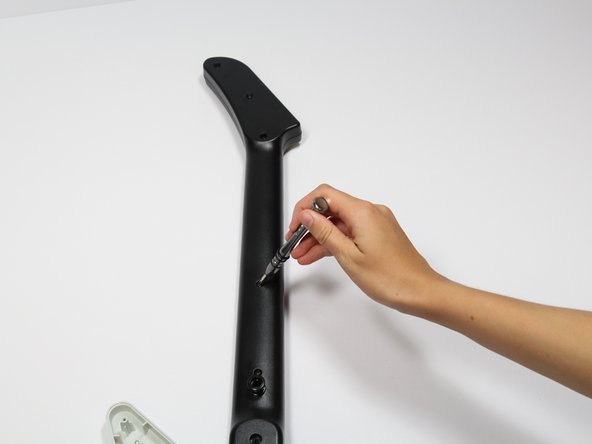
- Remove the five 12mm Phillips #1 screws along the neck with a screwdriver.
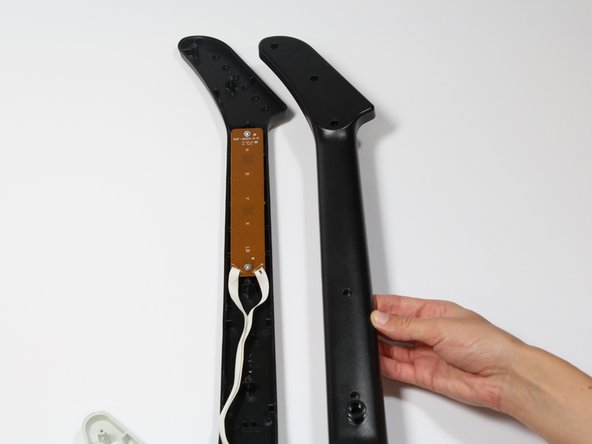
- Pull off the top shell of the neck to expose the internal features.
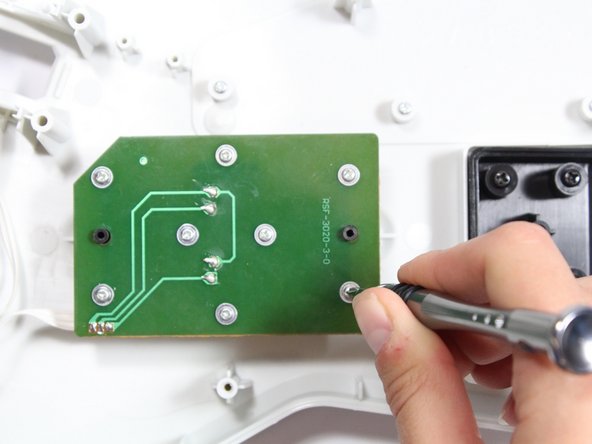
- Use a screwdriver to remove the four 14mm Phillips #1 screws around the perimeter of the strum bar sensor board.
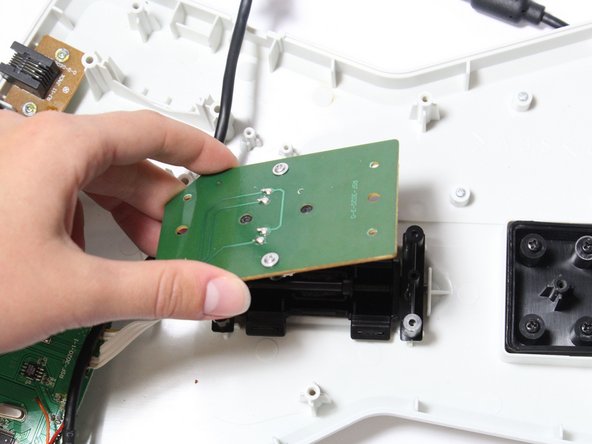
- Lift up on the strum bar sensor board to remove it from the case.