Hover-1 Ultra Power Button Replacement
ID: 115335
Description: Will your Hover-1 Ultra not power up,...
Steps:
- Orient the hoverboard so that the pads are facing down.
- With the Phillips #1 screwdriver, remove all 18 of the screws on the underside of the hoverboard.
- Carefully remove the shell, lifting directly up.
- Unscrew the power button using your hands or an adjustable crescent wrench.
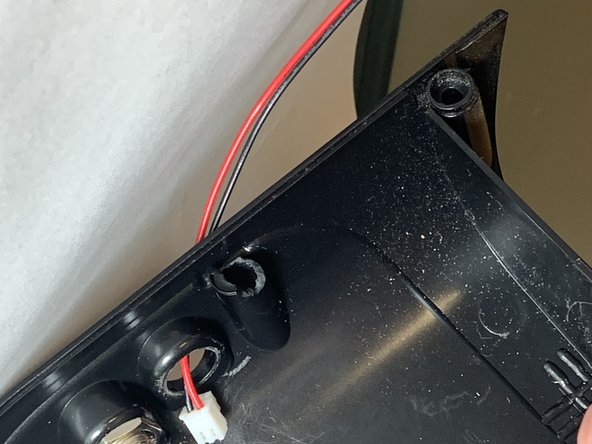
- Turn the power button counter-clockwise to release from the shell.
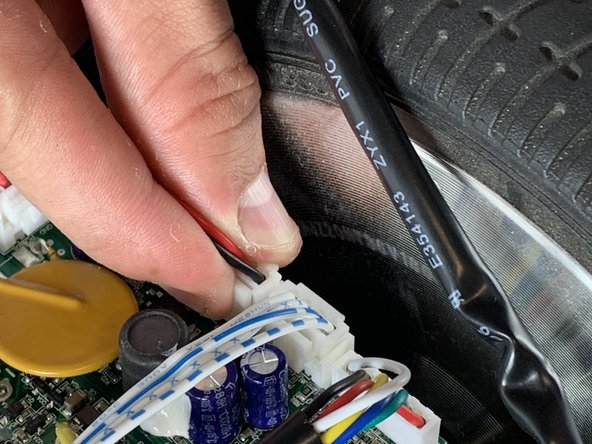
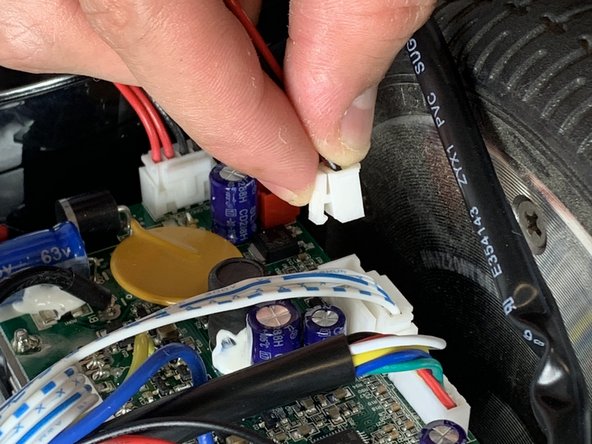
- Unclip the red and black power cables that are attached to the port from the motherboard.
- Remove the power button from the hoverboard assembly.