LG K7 Screen Replacement
ID: 115730
Description: Phone screens can easily break, but that does...
Steps:
- Place phone face-down and use your nail to pry the back off the back.
- Use a plastic spudger or your nail to lift the battery out of the device and put it aside.
- The battery should come out with little effort. If it does not, do not force it.
- Use a Phillips #0 screwdriver to remove the single 3.5mm screw holding the power button and volume rocker in place and lift it out and put it to the side.
- Use a Phillips #0 screwdriver to unscrew the three 3.5mm screws in the bottom portion of the phone and put them to the side.
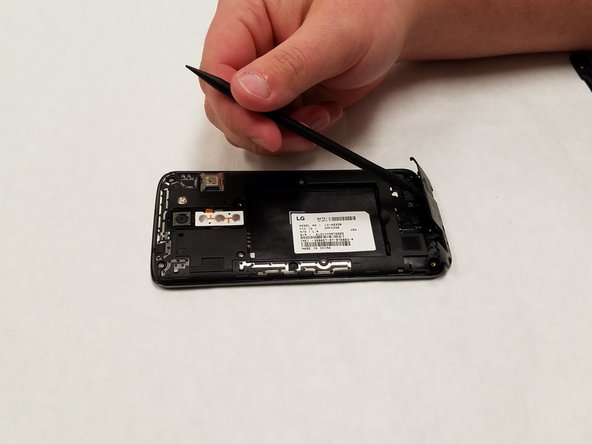
- Use a spudger to pry the plastic bit off. Be warned, it will pop out and might fling itself when you attempt to pry it out.
- Use a spudger to pry the plastic bit off.
- Warning, it will snap out and might fling itself when you attempt to pry it out.
- Use a Phillips #0 screwdriver to unscrew the five 3.5mm screws holding the housing into the device.
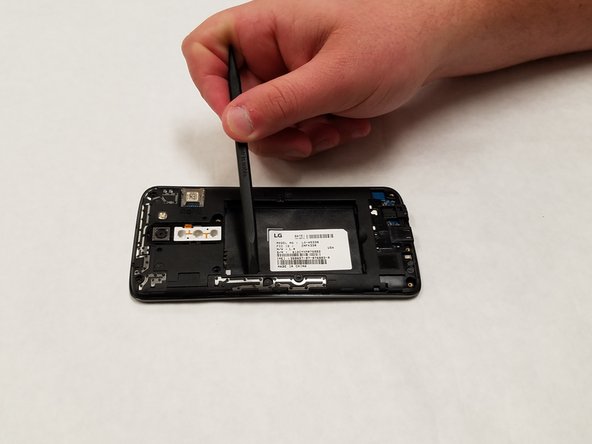
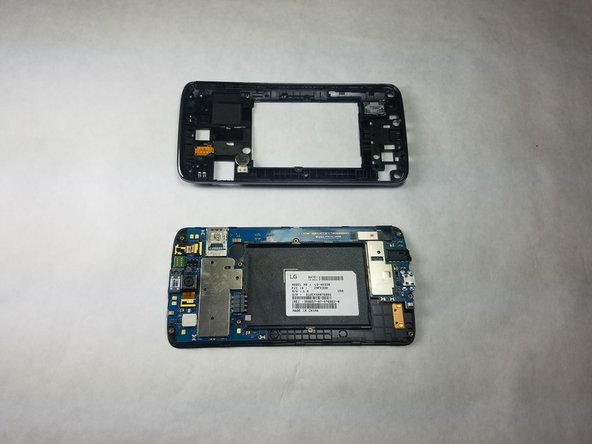
- Use a spudger to pop it out of the back of the device exposing the motherboard.
- Use a plastic spudger to lift the motherboard out of the casing.
- You must use a plastic tool for this step or you may risk damaging the motherboard.
- Turn the device over and locate the connector between the digitizer and the motherboard.
- Use a plastic spudger to disconnect the connector.
- Turn the screen housing over and use a hair dryer to heat the screen.
- This melts the adhesive between the screen and the housing, allowing you to separate the two.
- Be sure to evenly heat the screen and take care not to burn yourself.
- Once the screen is heated, use a plastic spudger to attempt to peel the glass away from the housing.
- This will take some time, so take care not to break the glass.
- Once the spudger is under the glass, drag it around the edge and separate the glass and the housing.
- You have now successfully removed the screen and digitizer from the housing.