Gateway NV55C49u RAM Replacement
ID: 115737
Description: If your laptop is running slowly, or crashing...
Steps:
- Flip the laptop bottom side up.
- Slide the battery lock to show the red background.
- Push the battery slider to the other side. This will automatically eject the battery.
- You can now remove the battery.
- Remove the two 6.0mm Phillips #00 screws from the back cover.
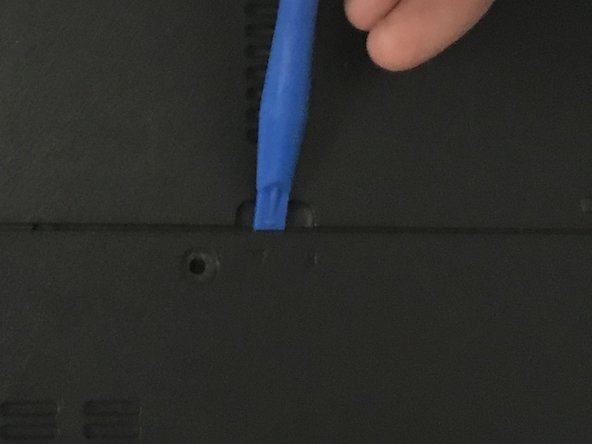
- Remove the back cover by placing the plastic opening tool in the indention, and prying upwards.
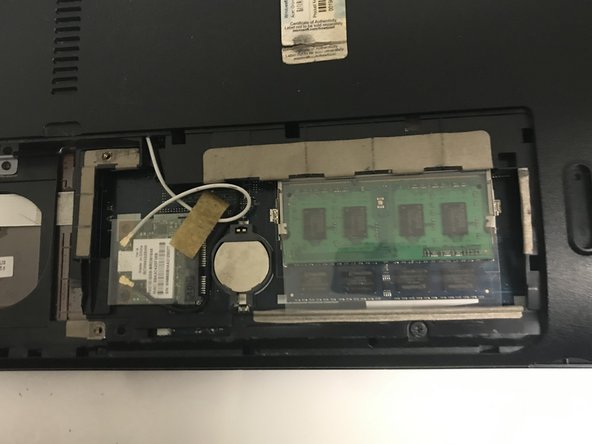
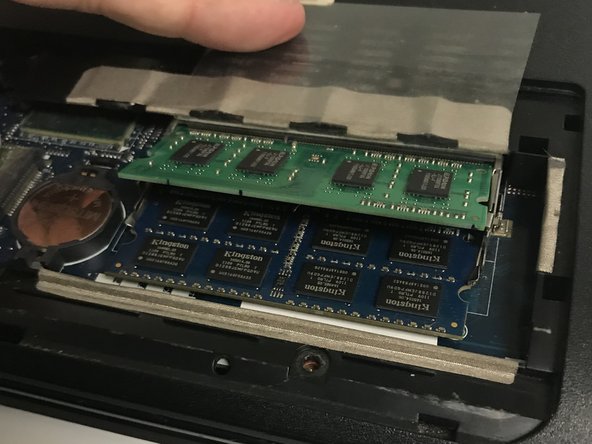
- Hold back the plastic that protects the RAM so you can access the clips underneath.
- Gently push the holding clips outwards. The RAM will angle itself upwards.
- Gently remove the RAM from the laptop
- Make sure not to touch any part of the RAM except the sides.
- When reassembling, insert the RAM into the connector, and then push it down until the clips lock it into place