Lenovo Miix 2 Vibrating Cable Replacement
ID: 121876
Description: This guide instructs the user how to replace...
Steps:
- Remove the back cover of the tablet by inserting a nylon or metal spudger in the small hole between the screen and rear cover near the volume button. Slide the tool along the edge of the tablet to release the internal clasps.
- You should have to apply a good amount of force, but pry carefully in order to avoid damaging the clasps or the internals.
- Unscrew the six 3mm screws surrounding the battery dock using a Phillips #0 screwdriver.
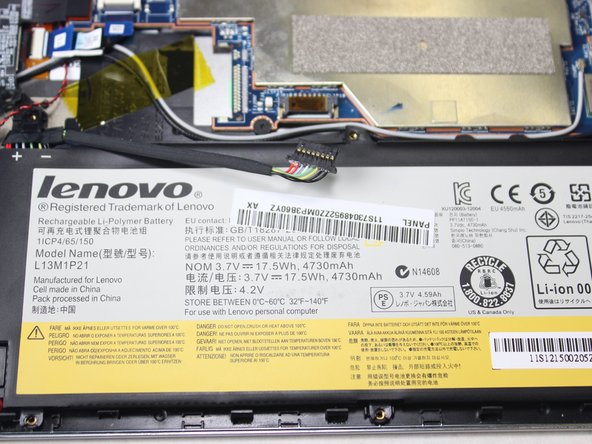
- Using a plastic spudger, slowly push each side of the battery connector (back and forward a couple of times) out of its socket on the motherboard.
- Remove the battery by prying up with your fingers or a plastic opening tool.
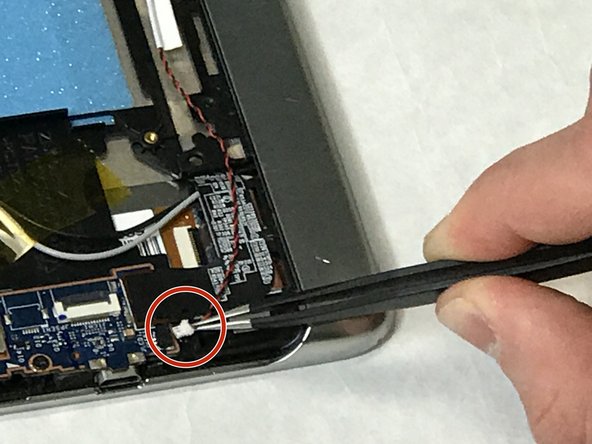
- Remove the vibrator cable which is connected with a white connector head to the motherboard, by gently lifting on the connector head with tweezers.
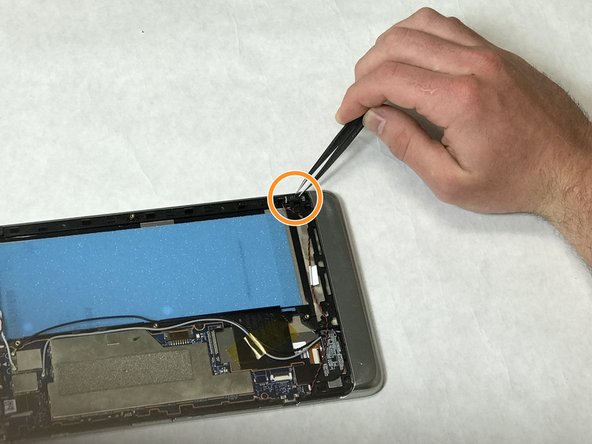
- Remove the vibrator head by following the black and wire cable from the motherboard to where the head is located.