One Education Infinity Handle Replacement
ID: 129995
Description: In this guide you will learn how to replace the...
Steps:
- Always power off your device before beginning disassembly.
- Remove the screw covers and rubber feet from the bottom of the laptop with a metal spudger.
- Using a Phillips #00 screwdriver, remove the sixteen 5.0 mm black screws from the back panel.
- Using the iFixit plastic opening tool or spudger, start near the white hinge of the device and lift along the outer edges of the device until all clips are released.
- Lift the back case off of the device.
- Removing the back may create a loud snapping noise.
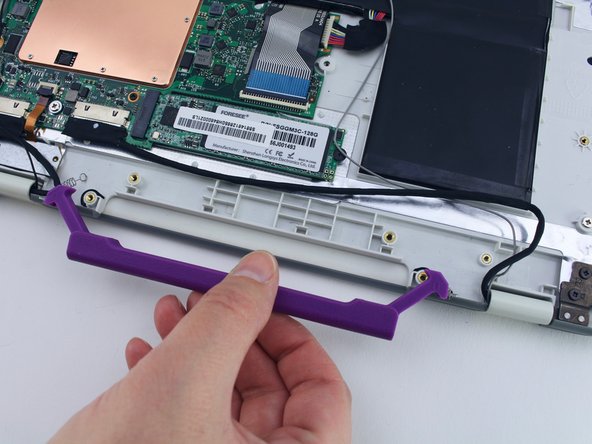
- Using the Phillips #00, remove the two 4.7 mm screws securing the handle to the case.
- Remove the handle from the device.