HP Pavillion 15-ay041wm Speakers Replacement
ID: 132295
Description:
Steps:
- Place the laptop upside down.
- Find the battery lock latch on the top left corner.
- Slide the latch to the right position.
- Find the battery release latch on the top right corner.
- Slide and hold the latch towards the left to cover the battery icon.
- Carefully slide the battery outwards.
- Turn the laptop upside down with the base of the laptop facing you.
- Remove the grippers positioned at the top right and top left of the laptop to access the two additional screws.
- Use a 1.5mm Hex screwdriver to remove twelve 10mm screws.
- Press the eject button.
- Hold and carefully slide the disc drive out of the laptop.
- Using the Jimmy, create a separation between the keyboard and bottom panel.
- Slide around the body of the panel until the separation is big enough for you to use your fingers.
- Separate the keyboard and bottom panel.
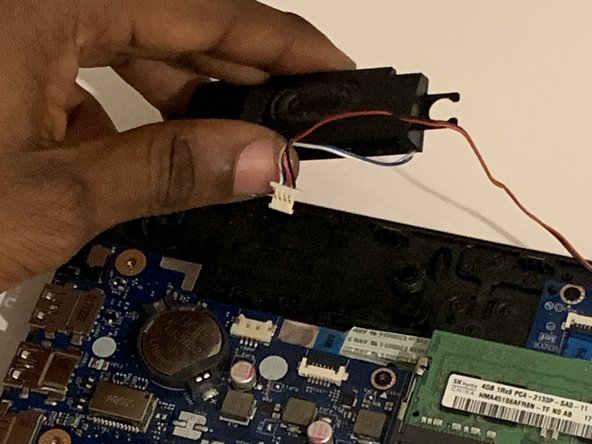
- Using tweezers, disconnect the left speakers from the motherboard.
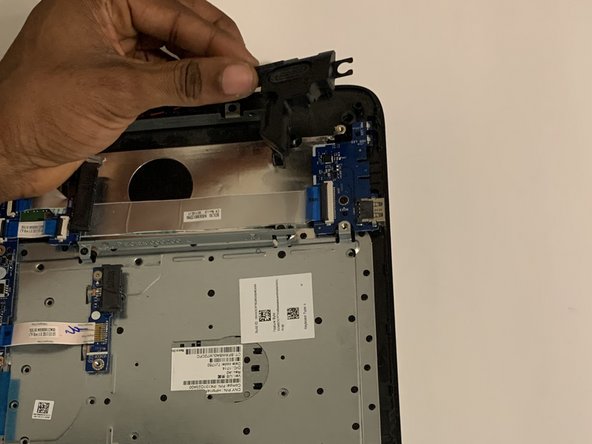
- Remove the left and right speakers from the laptop.
- Slide the wires connecting both speakers out from the black stoppers.
- You can now replace the speakers.