Replacing the steam hose between the base station and the iron
ID: 132499
Description: This replacement is carried out in two stages....
Steps:
- Remove the screw in the center of the rear panel (PH2), remove the rear panel by tilting it toward the back.
- Unhook the hose guide
- Loosen the screw securing the steam hose and the electrical cable (PH1).
- Unhook the retaining clip of the iron's top handle cover. Remove the cover by tilting it forward.
- Lift the plate supporting the indicator light toward the back to clear the path for the button wires.
- Unplug the two terminals. Be careful, these are locking terminals. You must press the small central lever while pulling the terminals.
- Loosen the 2 screws securing the power cable (PH2).
- Loosen the two Torx screws at the back of the iron handle. Loosen the Torx screw at the front of the iron handle. Lift the iron handle to gain enough room to disconnect the electrical cables.
- Disconnect the three (locking) terminals from the electrical cable. You can remove it completely from the iron; the control wires follow the handle.
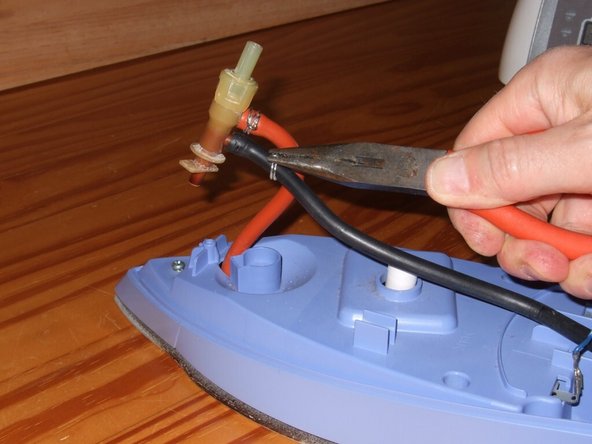
- Use pliers to loosen the steam hose clamp and slide it back 2 cm. Remove the steam hose from the valve.