System x3650 CPU and Memory Replacement
ID: 136804
Description: In this guide we will be upgrading the CPU(s)...
Steps:
- Make sure that you have unplugged the power cable before servicing.
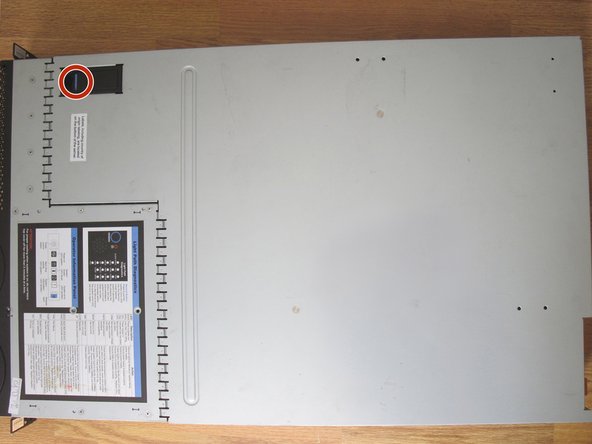
- Pull the latch on the top cover up.
- Slide the cover out.
- Press the two latches on the riser card assembly, indicated by blue arrows and outlines.
- Slowly take the the riser card assembly out.
- Doing so will allow you to remove the white plastic airflow guides.
- This will provide access to the computer parts that you want to replace.
- Move the heat sink bracket lever to the open position and remove the heat sink.
- This will provide access to the processor.
- Open the CPU retention bracket lever.
- Remove the old processor from the socket.
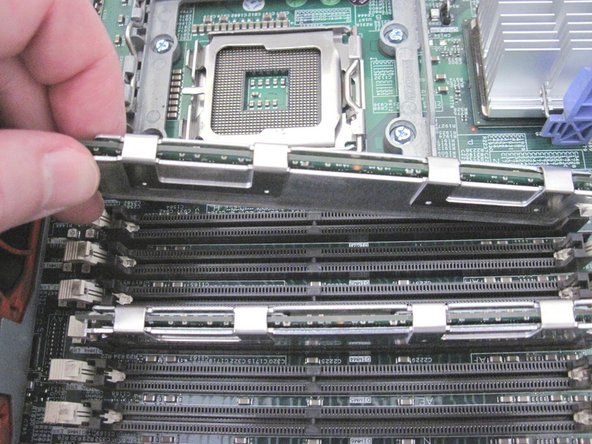
- Remove the old RAM if it is being replaced.
- Unfasten the clamps on both ends of the slot.
- Take out the memory module.
- Insert the new memory modules into the empty RAM slots securely.
- The clamps on both ends of the slot should click into place.
- See this link for the DIMM installation sequence.
- Insert new CPU into socket.
- Ensure that the CPU chip is positioned correctly (i.e. its marked corner is facing bottom left).
- Apply thermal paste to the top of the processor if necessary.
- Close the CPU retention bracket lever.
- An insecure or improper placement can damage a CPU or the socket pinout.
- Place the heat sink on top of the CPU.
- Move the heat sink bracket lever to closed position.
- If you need to add a second processor, move the heat sink bracket lever to open position.
- Take out the white plastic cover on the second socket.
- Repeat steps 7 and 8 for the second CPU/socket (insert a CPU and a heat sink).
- Insert the plastic airflow guides back in their places.
- Insert the riser card assembly, pushing it into its slot.
- Slide the top cover in place firmly.
- Ensure that the latch is in the down position.