Anker SoundCore 2 Battery Replacement
ID: 140279
Description: This is a step by step guide to replace the...
Steps:
- Insert a spudger between the front panel and the body of the speaker.
- Pry around the edges of the front panel with the spudger to pry it away from the speaker body.
- Remove eight 10 mm screws from the speaker mount using a Phillips #1 screwdriver (Phillips #0 can strip the screw heads).
- Insert a spudger in the gap between the speaker mount and speaker body to remove the speaker mount.
- Be careful not to damage the rubber gasket around the speaker mount plate.
- Use your hand to remove the speakers. Some variants have a wire from the speaker to the board, some rest on contact pins.
- Remove the 10 mm screw that is holding the motherboard in place using a Phillips #1 screwdriver. Some variants have 2 screws.
- Carefully remove the bluetooth antenna wire from the left of the board. It pulls up without much pressure.
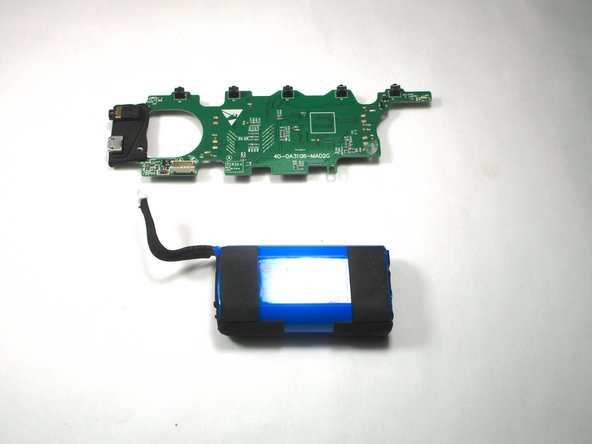
- Flip up the motherboard to expose the battery.
- Use a nylon spudger to remove the battery from the speaker casing.
- Caution: Do not use metal prying tools on a battery—these can puncture an unprotected battery, potentially causing a fire.
- The battery is glued down so it may be difficult to remove.
- Unplug the wire that connects the battery with the motherboard.
- Battery specs: 2 x 18650 2600mAh soldered in series (to bring voltage to 7.4V).
- Can safely be upgraded to 2 x 18650 3500mAh for additional capacity.
- When replacing the battery, plug in the new battery where the old one was plugged in.