Anker SoundCore 2 Charging Port Replacement
ID: 140281
Description: This is a step by step guide on how to replace...
Steps:
- Insert a spudger between the front panel and the body of the speaker.
- Pry around the edges of the front panel with the spudger to pry it away from the speaker body.
- Remove eight 10 mm screws from the speaker mount using a Phillips #0 screwdriver.
- Insert a spudger in the gap between the speaker mount and speaker body to remove the speaker mount.
- Use your hand to remove the speakers.
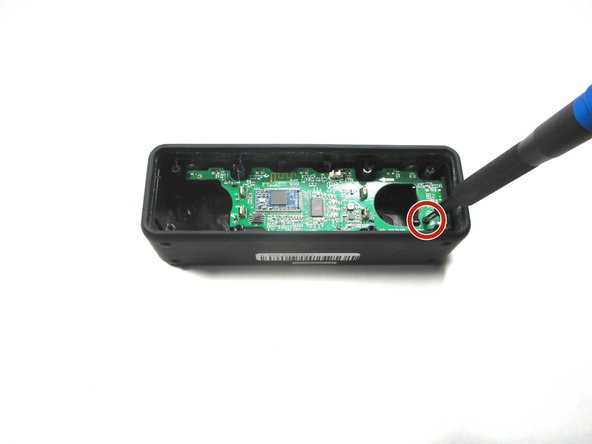
- Remove the 10 mm screw that is holding the motherboard in place using a Phillips #0 screwdriver.
- Flip up the motherboard and disconnect the cord that connects the motherboard and the battery.
- Desolder the charging port from the motherboard and solder a new one on.
- For help with soldering and desoldering, follow this guide.