Asus VivoBook 14" F412DA Battery Replacement
ID: 144697
Description: If you need a new battery on your Asus F412DA...
Steps:
- Start by removing the marked screws
- Remove the four 6mm screws
- Remove the two 8mm screws
- Remove the four 9mm screws
- These screws are different lengths, remember which order you removed them. Putting the wrong size screw in the wrong hole can cause damage.
- The center screw is covered by a sticker that must be removed.
- It is recommended to wear an anti-static wrist strap for this procedure.
- Charged Lithium-ion batteries can explode if damaged or punctured, reduce the risk of an explosion by discharging your battery completely before removing.
- Using a opening tool, pry and lift at the edge of the bottom until you feel it open.
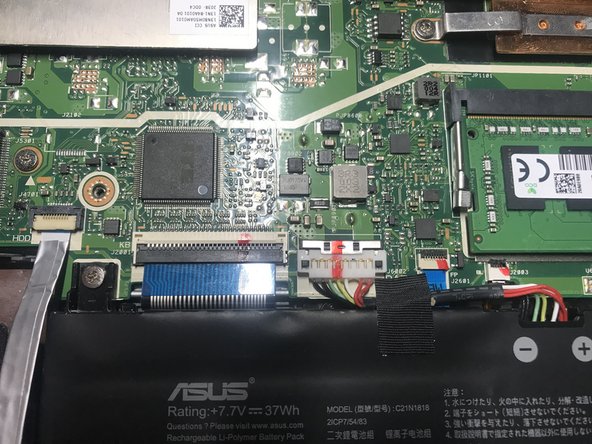
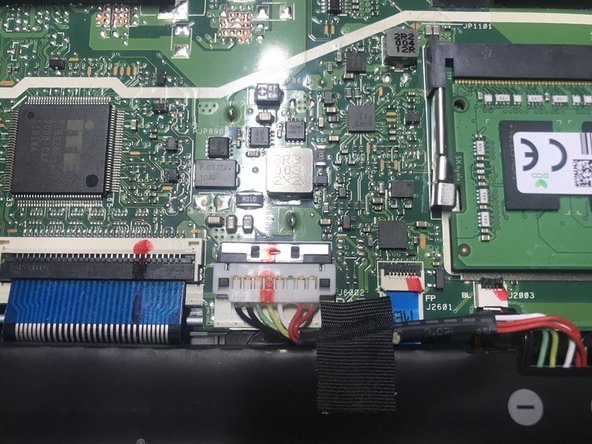
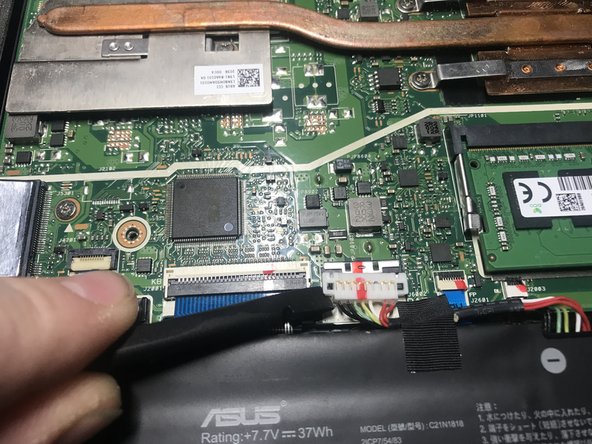
- Using a fingernail or spudger move back the retaining clip holding the battery connector in place.
- Be gentle releasing the connector, it's very fragile.
- Put a spudger under the battery connector and twist, the connector should lift off.
- Caution: Use a plastic tool, to avoid risk of puncturing the battery. A punctured battery may leak dangerous chemicals or catch fire.
- Remove the two 5mm screws.
- Remove the 4mm screw.
- These screws are different lengths so take extra care to track where each one come from.
- Carefully lift the old battery out of the computer.
- The battery should be easy to remove. If the battery does not come out easily, double check that all screws are removed.