BLU R2 Plus Upper Plastic Plate/Antenna Replacement
ID: 144711
Description: Replace your broken upper plastic plate/antenna...
Steps:
- Be sure that your BLU R2 Plus is completely powered off and has less than 25% battery left. This will lower the chance of your battery catching fire and your logic board/motherboard shorting out.
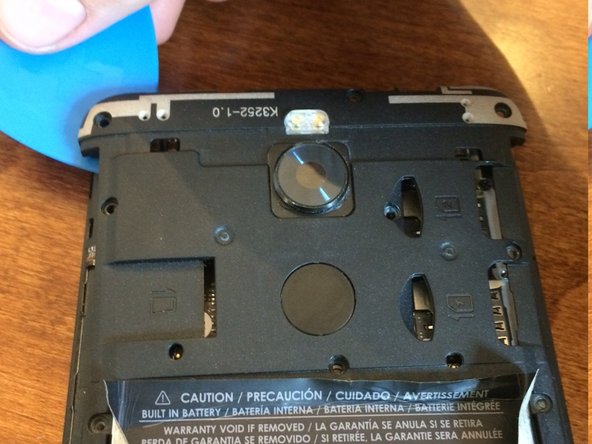
- Insert your pick in the top left-hand corner where the little indent is.
- Slide the pick all the way around the phone until the back cover is loose and ready to be released.
- Remove the Back Cover to gain access to sim card trays, the memory card slot, or just to replace it.
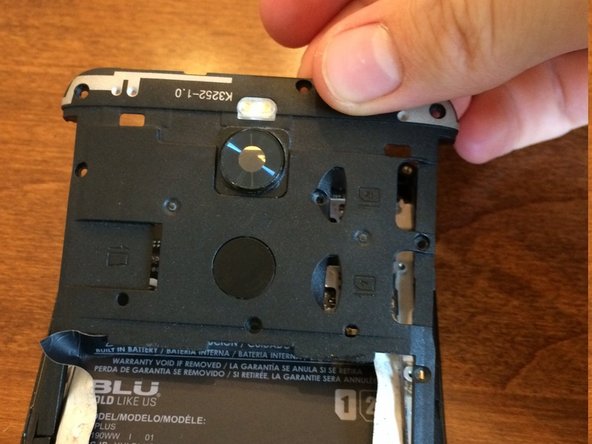
- Use a plastic opening pick to peel up the sticker from the arms of both the upper and lower plastic plates on both sides of the battery. This will reveal screws to both plates.
- To hold back the sticker, use small bits of tape.
- Use a Phillips #00 screwdriver to unscrew the nine screws from the upper plastic plate.
- Using an opening pick to wedge under spaces around the upper plate, unclip the upper plate from the phone and slide it up and out.