HP 14-am052nr Motherboard Replacement
ID: 146630
Description: Is your device not turning on? Are you...
Steps:
- Turn the laptop over to its bottom so that the backside is facing you.
- Using your fingers, push the two locking tabs inwards to release the battery.
- Remove the battery from the device.
- After removing the battery with the laptop on its back, expose screws that are hidden under the rubber feet and the center label.
- Using the Phillips #0 screwdriver, remove fourteen (14) 6 mm screws from the back panel.
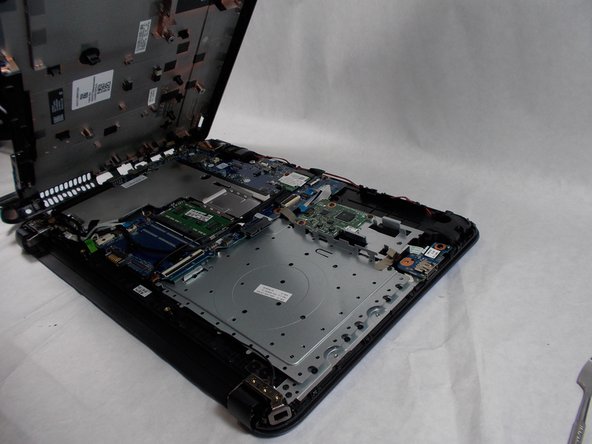
- Use a prying tool to remove the back panel from the base of the computer.
- Using the Phillips #0 screwdriver, remove three 3 mm screws and five 3.5 mm screws from the motherboard.
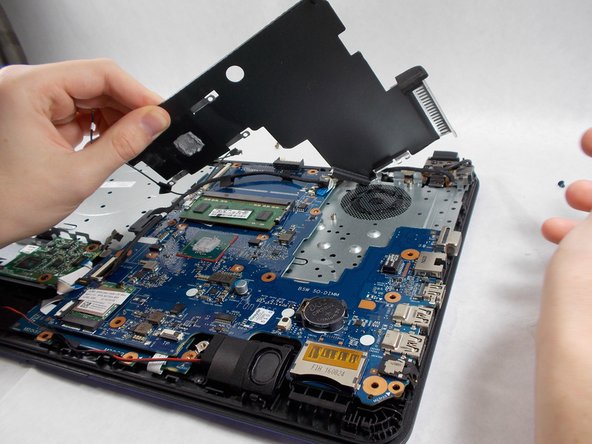
- Using the Phillips #0 screwdriver, remove four 1.5 mm screws from the silver cover.
- Remove the silver cover from the device.
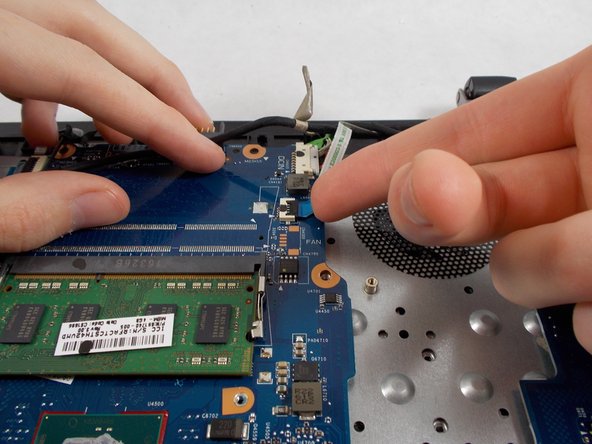
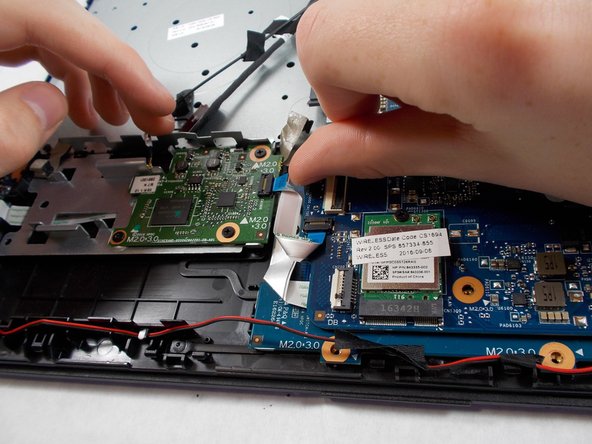
- Unplug all connectors attached to the motherboard.
- Once all plugs and screws disconnected, remove the motherboard from the device.