ZTE Max XL Motherboard Replacement
ID: 149176
Description: This guide has step-by-step instructions on how...
Steps:
- Before any disassembly, make sure the phone is powered off.
- Use the SIM Card Eject Tool to remove the SIM card tray. To do this, insert the key into the hole on the side of the phone near the SIM card tray.
- Apply the iOpener to the back of the phone. For instructions on how to use the iOpener, use this guide.
- On our phone there was adhesive on the top and bottom of the phone backing, so we specifically heated these areas.
- Do not heat the phone too much in one area - it may warp the plastic backing.
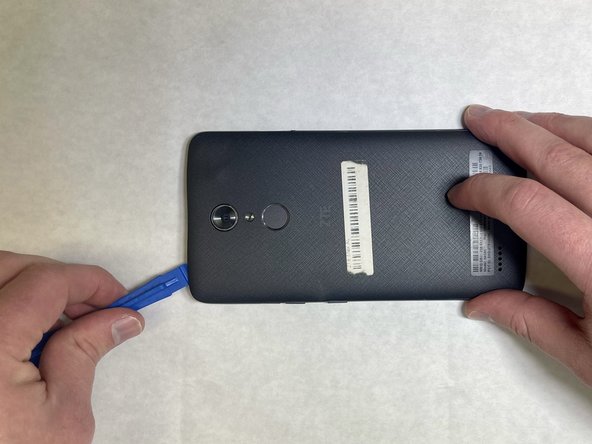
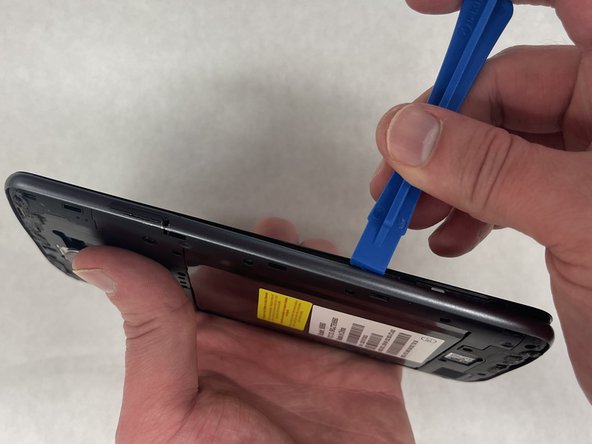
- Starting at one corner, wedge a plastic opening pick or tool underneath the plastic backing to start undoing the tabs that connect the backing to the phone.
- There are 3 tabs on top and bottom and 6 on each side.
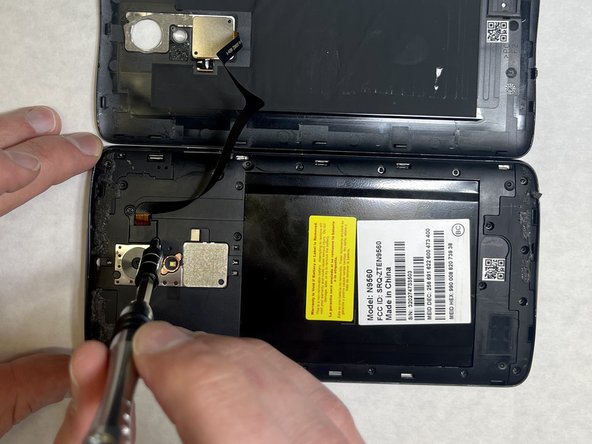
- Remove the two 3.4 mm JIS #00 screws that hold the cable in place—one may be under a lock sticker.
- Use a nylon spudger to lift the press-fit connector and free the ribbon cable from the main part of the phone.
- Remove all nineteen 3.4 mm JIS #00 screws from the perimeter of the back.
- Use an opening tool between the screen and side trim battery cover to remove the screen.
- Use a nylon spudger to carefully lift the 6 press-fit connections free from the motherboard.
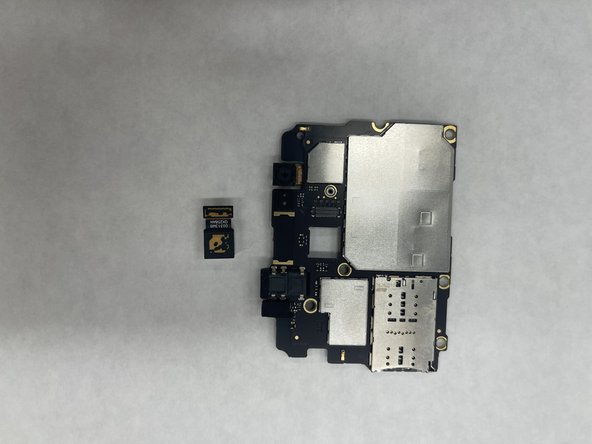
- Use the Spudger to carefully flip the metal clip holding the camera in place, located on the backside of the Motherboard.
- With the motherboard removed, you can now insert the new motherboard or replace other parts within your phone.