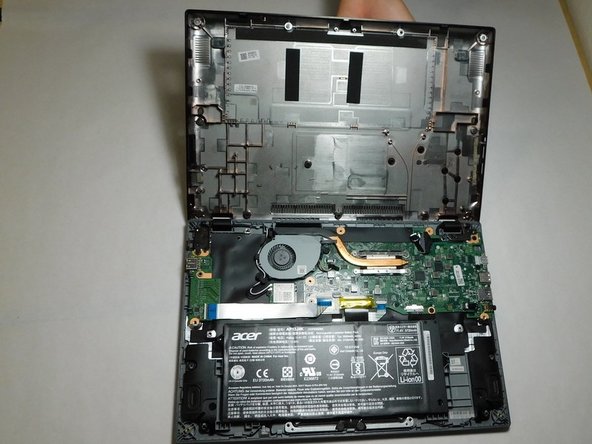
Acer Chromebook CP5-471-C0EX Wi-Fi Card Replacement
ID: 149691
Description: This guide will show you how to replace the...
Steps:
- Turn off the laptop before starting.
- Flip the laptop over so the model stickers face the ceiling.
- Remove twelve 7 mm screws from the back of the laptop using a Phillips #1 screwdriver.
- Use a Jimmy to pry apart the bottom of the case from the laptop.
- Be careful not to warp or crack the case.
- Carefully detach the ribbon cable connecting the battery and the motherboard.
- Use your hands to lift the battery out of the device.
- Gently pull the black and white cables up to disconnect them from the Wi-Fi card.
- Remove the single 3 mm screw using a Phillips #1 screwdriver.
- Gently pull the wireless card away from the motherboard to remove it.