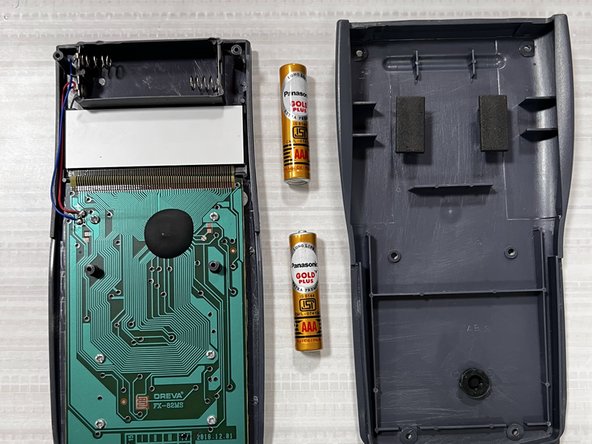
Oreva FX-82MS Battery Replacement
ID: 151636
Description: This is an easy step-by-step guide to replace...
Steps:
- Turn off the calculator by pressing the [Shift] button and then press the [AC][OFF] button, (while keeping the [Shift] button pressed down).
- Flip the calculator over so that the back panel faces up.
- Use a Phillips #0 screwdriver to remove six, 1.2 mm screws starting from the upper right corner.
- Remove the back cover and put it to the side.
- Remove the two old batteries from the slots.
- Be gentle when removing the batteries to avoid damaging the connectors.
- Place the two new AAA batteries into the calculator, one by one.
- Be sure that the direction of the + and - signs on your battery match the signs at the bottom of the battery compartment.
- Place the case on back of the calculator.
- Use a Phillips #0 screwdriver to replace the 1.2 mm screws on the back case.
- Reset the calculator by pressing [ON].
- Press the [shift] button.
- Press the [9] [CLR] button to clear the data.
- Press the [3][ALL] button option.
- Press [=] [yes] button to agree.
- Press [AC] key to reset.