HP Pavilion 15-eg0025nr Back Panel Replacement
ID: 154825
Description: This guide will show you how to completely...
Steps:
- Unplug and turn off the laptop before removing the back panel
- Flip over the computer so that the back panel is facing upwards.
- Remove the two silver screws on the bottom of the laptop using a Phillips #00 screwdriver.
- Peel up each end of the two gray rubber stoppers using your fingers or an opening pick.
- This may be difficult if it is your first time removing them.
- Remove the two black screws underneath the rubber stoppers with the Phillips #00 screwdriver
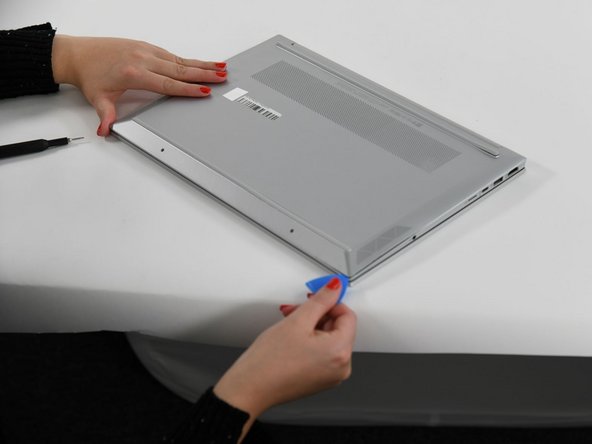
- Slide the opening pick around the edges of the laptop where the chassis has a seam.
- You will hear a clicking noise as you undo the clips of the chassis.
- It may be easier to start with the four corners of the laptop, and then follow through with the sides.
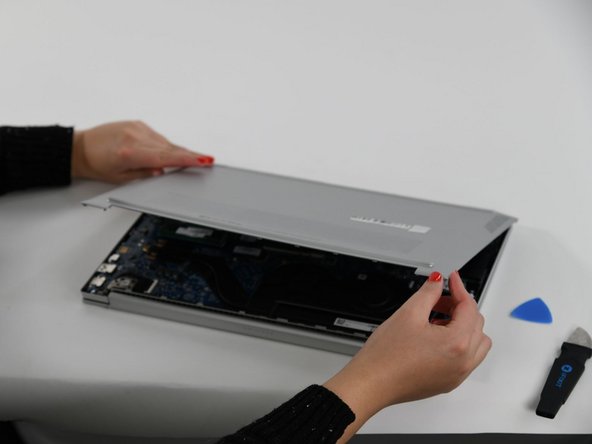
- Remove the back panel completely.
- With the back panel removed, you can now access parts of the laptop such as the fan or the battery.