AeraMax Pro AM III Air Filter Replacement
ID: 154894
Description: The AeraMax Pro AM III air purifier is a great...
Steps:
- If the access panel is locked, use the key to unlock it and open it by pressing the levers on both sides.
- The appliance can open only if both levers are pressed simultaneously.
- Use your hands to remove the old filter.
- When removing the old filter, do not throw away the filter cage. Wipe it down and prepare to use it for the new filter.
- If you have not already wiped down your appliance, give it a thorough wipe-down with your preferred cleaning product.
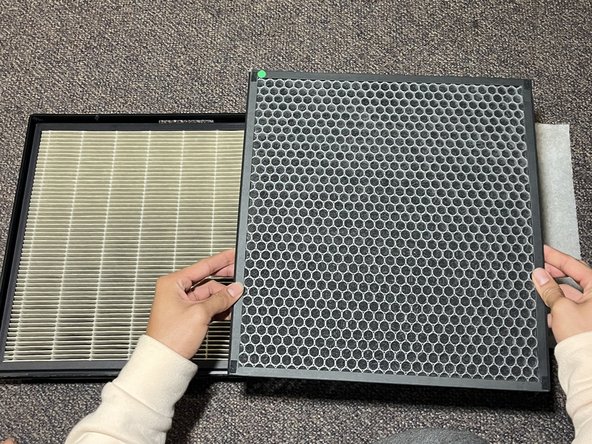
- Remove the plastic from the new HEPA filter and place it into the filter cage.
- Insert the carbon filter into the filter cage that you wiped down and make sure the corners are aligned with the filter cage.
- Take your new HEPA filter and make sure the stickers are aligned and the corners of the pre-filter are fleshed down until it sticks to the carbon filter.
- Insert your filter cage back into the access panel and make sure that the filter label is visible and facing upwards.
- You can give your appliance one more wipe-down to ensure cleanliness.
- Press the HEPA Setting for three seconds until the icon turns green.
- The green icon indicates that the filter has been replaced and is ready to be used.
- Close the access panel.