How to Open a Google Pixel Watch
ID: 160347
Description: Use this guide to open your Google Pixel Watch...
Steps:
- Before starting repairs, turn off your watch and take it off the charger.
- Remove the watch band by pressing the band release button and sliding the band over the button while pulling it away from the watch.
- Repeat for the other watch band.
- Heat an iOpener and apply it to the screen for about two minutes to soften the adhesive securing the screen.
- A hair dryer, heat gun, or hot plate may also be used, but be careful not to overheat the watch—the screen and internal battery are both susceptible to heat damage.
- The thin seam between the frame and screen requires a thin metal tool—take your time and work carefully to avoid scraping or gouging the watch body or glass.
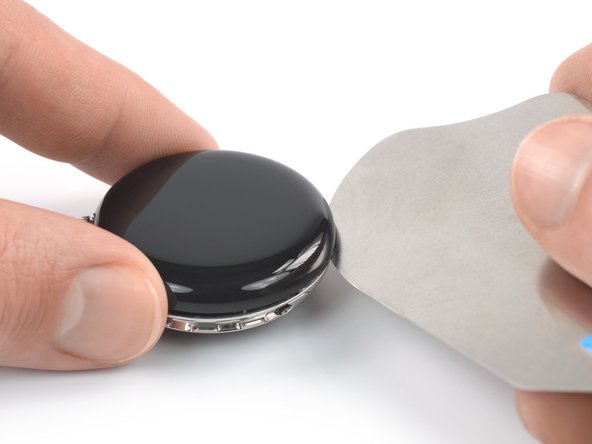
- Insert an iFlex into the thin gap between the screen and frame, left of the digital crown.
- When slicing the screen adhesive, insert the iFlex no deeper than 3 mm to prevent damaging internal components.
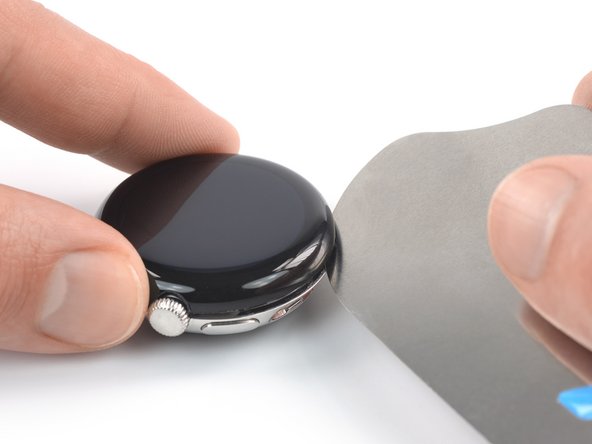
- Slide the iFlex around the entire perimeter of the watch to slice all of the screen adhesive.
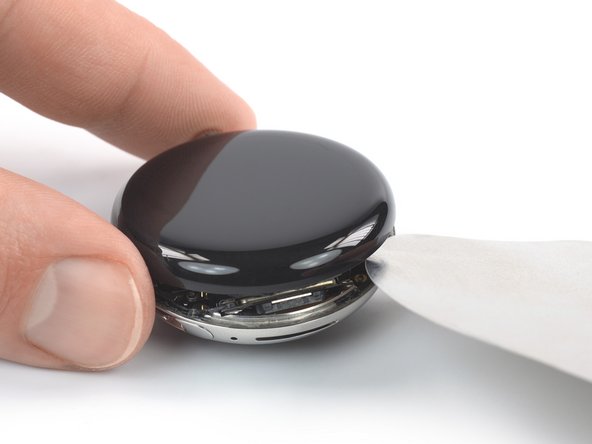
- Remove the iFlex and reinsert it under the screen, to the right of the speaker grille.
- Twist the iFlex to pry the screen up.
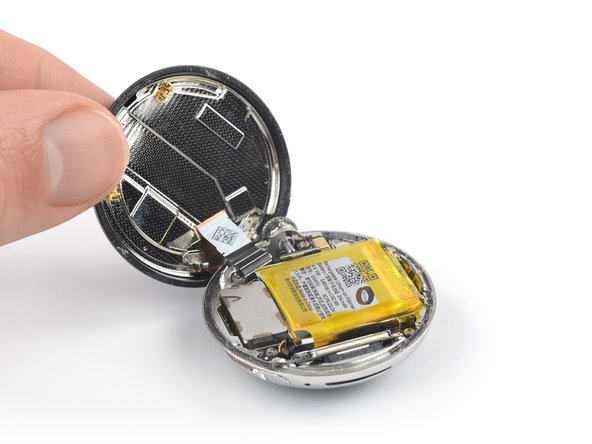
- Don't try to fully remove the screen just yet, as it‘s still connected to the watch assembly by a delicate cable.
- Be careful not to strain the screen assembly cable when you open the display.
- Swing the screen open to an upright position.
- During reassembly, this is a good point to power on your device and test all functions before sealing it up. Be sure to power it back down completely before you continue working.