Toshiba Satellite C55D-A5304 Laptop Key Replacement
ID: 160511
Description: If your Toshiba Satellite C55D-A5304 keys are...
Steps:
- Make sure that the laptop is disconnected from all power sources and turned off.
- Start with computer upside down with battery slot facing up.
- Use the buttons of the sides of the battery to slide inwards and release the battery.
- Take the battery out.
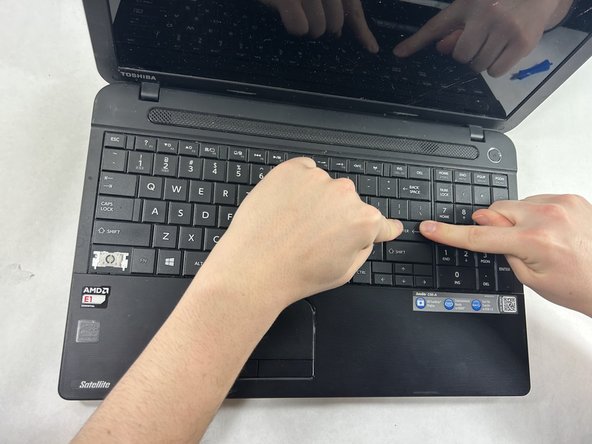
- Open your laptop and face the keyboard towards yourself.
- Push the key back into the keyboard where it was missing.