Logitech UE MegaBoom 3 Power Button Control Board Replacement
ID: 167072
Description: Is your speaker having trouble powering on?...
Steps:
- To access all internal components, first flip the speaker upwards to where you can see the base.
- Place your blue iFixit opening picks inside the gap between the speaker and the base to act as a lever when opening the speaker.
- Using the flat head #4.5 screw driver, carefully lever and rotate the driver around the edge of the speaker to enlarge the gap further.
- Here, it is ideal to use a spudger as opposed to the flathead screwdriver, however, the flathead makes it so much easier to pry off the cap.
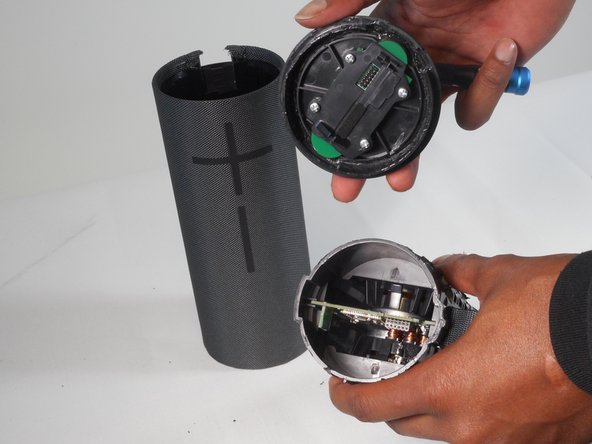
- Pry off the base of the speaker and remove the end cap.
- Take off the fiber cover by prying it from the top of the speaker using the flathead 4.5 mm screwdriver.
- After the cover is loosened, the cap can finally be pulled off.
- Remove the top half of the speaker using the 4.5 mm flat head screwdriver.
- Now remove the top of the speaker by prying and releasing the tab around the cap using the same screwdriver.
- With the cap removed, using Phillips #0 screwdriver remove all four 2.0 mm screws to take off the control board.
- Now you can replace the power button control board.