LG Enact Screen Replacement
ID: 167394
Description: Screens are always prone to breaking or...
Steps:
- Open the back cover by prying into the bottom tab with an iFixit opening tool.
- Use an iFixit opening tool to remove the battery.
- Remove the three 1.2 mm screws from the speaker using a Phillips #00 screwdriver.
- Use an iFixit opening pick to pop out the speaker.
- Remove the nine 1.2 mm screws from the midframe using a Phillips #00 screwdriver.
- Use the iFixit opening pick to pry out the midframe.
- Unplug the four ports connected to the motherboard.
- Disconnect the two wires on top of the battery.
- Disconnect the two wires under the battery.
- Slowly pry out the motherboard using an iFixit opening pick.
- Gently peel off the orange strip attached to the charging port using an iFixit opening pick.
- Gently remove the blue metal plate using an iFixit opening pick.
- Gently remove the black plastic from inside the battery compartment.
- Remove seven 1.2 mm screws with a Phillips #00 screwdriver.
- Remove the ribbon cable from the battery compartment.
- Remove the plastic half containing the keyboard.
- Remove the four 1.2 mm screws from the corners using a Phillips #00 screwdriver.
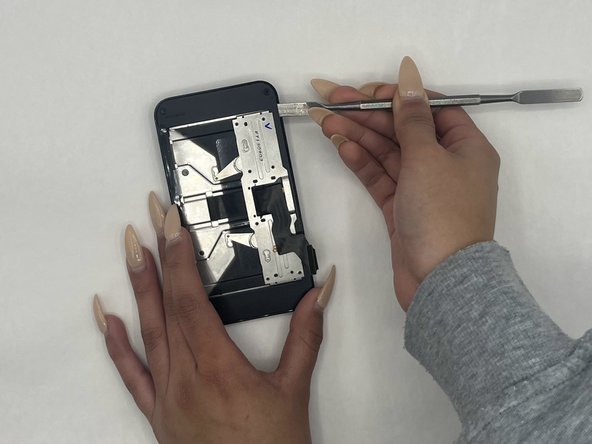
- Gently pry the screen open with a nylon spudger, making sure you’re not damaging the LCD or the plastic.
- Detach the two connectors from the screen and pop the screen open using a spudger.
- Disconnect the touch button sensors using a spudger.
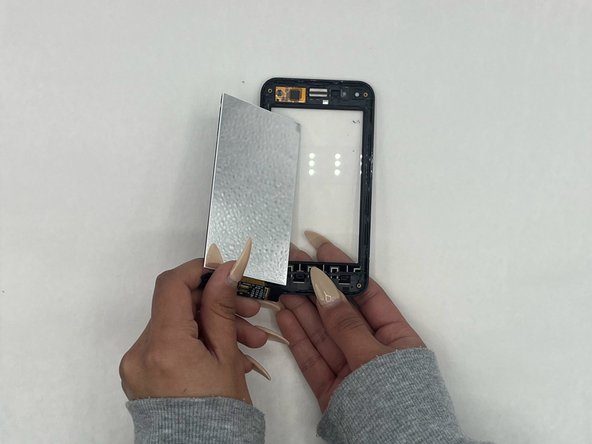
- Gently disconnect and remove the LCD using a spudger.